A typical first call to us goes like this. The company bought Microsoft 365 licences online 2 years ago with a credit card. Nobody set up SPF or DKIM, so quotations land in customers’ spam folders. The old cPanel mailboxes were never migrated, so half the staff still check 2 inboxes. And the “admin” is whoever has the password to the first account that was created, usually someone who has since left. This article explains the Microsoft 365 plans we sell in the UAE, what each costs, and what we do so that none of the above happens to you.
Quick Answer
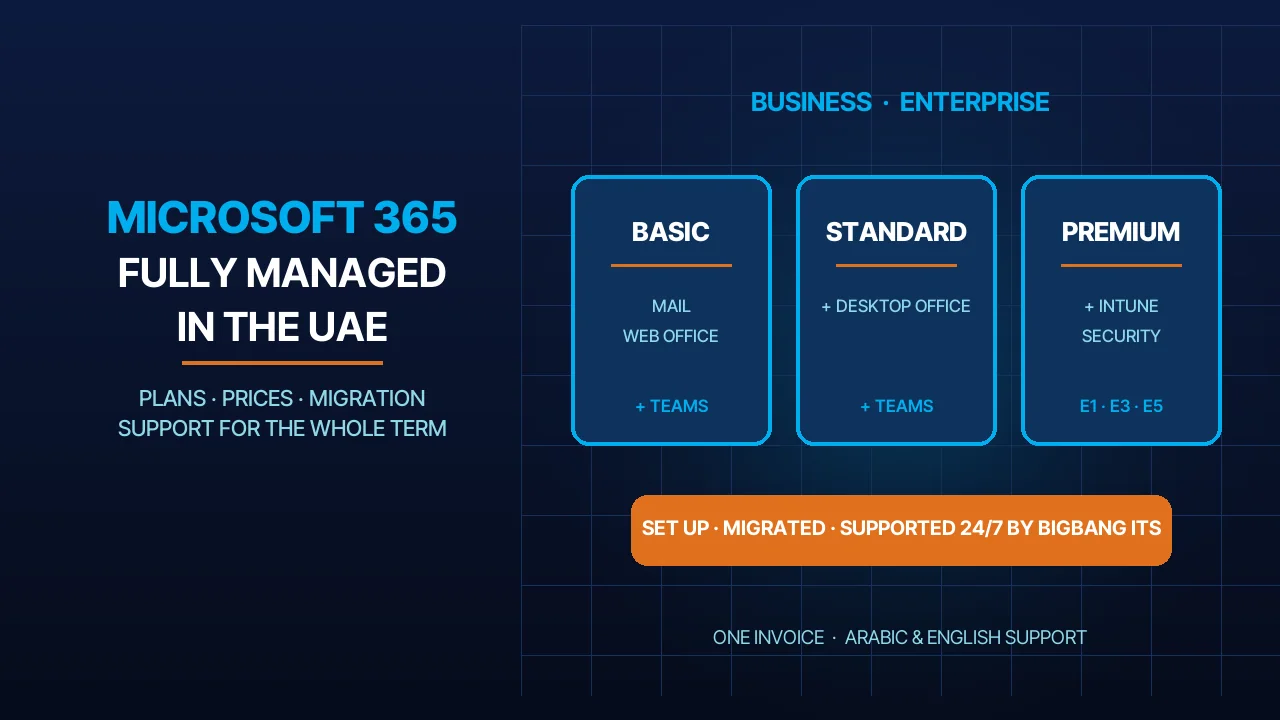
BIGBANG ITS sells Microsoft 365 Business Basic, Business Standard and Premium, each with or without Teams, and the Enterprise plans E1, E3 and E5, from USD 17 per user per month. The licence is only part of the service. We set up the tenant, verify your domain and DNS, create the users, migrate the old mail, apply a security baseline with MFA and anti-phishing, and then support the whole thing 24/7 in Arabic and English for as long as the subscription runs. You get one invoice from BIGBANG ITS, in USD or AED, monthly or annually. The plans are listed on our Microsoft 365 store page and on the business email service page.
What Is Included in Each Plan
Microsoft sells 2 families. The Business family (Basic, Standard, Premium) is for organisations of up to 300 users; Microsoft states that a tenant may hold at most 300 Business licences in total and that larger organisations should move to the Enterprise plans. The Enterprise family (E1, E3, E5) has no user cap and adds SharePoint, Stream, Viva Connections and on-premises Active Directory sync.
Mailbox. Business Basic, Standard and Premium, and Enterprise E3 and E5, give each user a 100 GB mailbox. E1 gives 50 GB. These are Microsoft’s own figures from the Exchange Online limits page. In our experience, 50 GB is enough for a user who sends plain mail; a sales or projects mailbox with years of attachments needs the 100 GB plans.
OneDrive. Every plan includes 1 TB of OneDrive storage per user. E3 and E5 start at 5 TB.
Office apps. Business Basic and E1 give Word, Excel, PowerPoint and Outlook in the browser and on phones and tablets only. Business Standard, Premium, E3 and E5 add the installed desktop apps on PC and Mac. If your accountant lives in Excel macros, that is the dividing line.
Teams. Microsoft now packages its suites in “with Teams” and “no Teams” editions, so Teams is a separate line on our price list. The “+ Teams” variants below include it; the plain Business plans do not. Our Enterprise E1, E3 and E5 plans are the editions with Teams.
Security. All Business plans come with spam filtering, anti-evasion, threat intelligence and anti-spoofing protection as part of our setup. Premium adds Intune device management, Azure AD Premium P1, Azure Information Protection and Azure Virtual Desktop. E5 adds Microsoft’s advanced security, compliance and analytics layer.
Plans and Prices
Every price below is per user per month, from a minimum of 1 user, and includes our management service and 24/7 support. The AED equivalents are in brackets, and each plan name links to its store page.
| Plan | USD per user/month | USD per user/year | What it adds |
|---|---|---|---|
| Managed Microsoft 365 Business Basic | 17.00 (AED 62.53) | 183.60 (AED 675.28) | 100 GB mailbox, 1 TB OneDrive, Office in browser and mobile, spam/anti-phishing/anti-spoofing protection, 24/7 support |
| Microsoft 365 Basic + Teams | 19.00 (AED 69.88) | 205.20 (AED 754.73) | Business Basic plus Microsoft Teams |
| Managed Microsoft 365 Business Standard | 22.00 (AED 80.92) | 237.60 (AED 873.89) | Business Basic plus desktop Office apps |
| Microsoft 365 Standard + Teams | 26.00 (AED 95.63) | 280.80 (AED 1,032.78) | Business Standard plus Microsoft Teams |
| Microsoft 365 Premium | 33.00 (AED 121.37) | 356.40 (AED 1,310.84) | Business Standard plus Intune device management, Azure Information Protection, Azure AD Premium P1, Azure Virtual Desktop |
| Microsoft 365 Premium + Teams | 37.00 (AED 136.09) | 399.60 (AED 1,469.73) | Premium plus Microsoft Teams |
| Microsoft 365 Enterprise Office E1 | 18.69 (AED 68.74) | 201.85 (AED 742.40) | 50 GB mailbox, 1 TB OneDrive, web/mobile Office, SharePoint Plan 1, Stream, Sway, Viva Connections, AD sync |
| Microsoft 365 Enterprise Office E3 | 33.69 (AED 123.91) | 363.85 (AED 1,338.24) | 100 GB mailbox, 5 TB+ OneDrive, desktop Office, SharePoint Plan 2, Stream, Sway, Viva Connections, AD sync |
| Microsoft 365 Enterprise Office E5 | 52.69 (AED 193.79) | 569.05 (AED 2,092.97) | E3 plus advanced security, compliance and analytics (Microsoft’s E5 feature set) |
Annual billing saves 10% against 12 monthly payments on every plan, Business and Enterprise alike. You can be billed in AED instead of USD by switching the currency in the portal. The prices are our own and already include provisioning, renewals, the security baseline and support. Microsoft’s list prices are not comparable because they buy the licence only.
What “Fully Managed” Means With Us
A licence from a reseller and a licence from us cost about the same. The difference is the list below, which we do for every customer, on every plan.
- Tenant and licence provisioning. We create the Microsoft 365 tenant in your company name and assign the licences, so the admin account belongs to the company and not to whoever set it up first.
- Domain verification and DNS. We add the verification record, the MX record, the Autodiscover entry, and the SPF, DKIM and DMARC records. Why those 3 records matter is explained in our SPF, DKIM and DMARC guide.
- Users, mailboxes, shared mailboxes and groups. Named users, shared mailboxes such as info@ and sales@, distribution groups, aliases and the signature template you give us.
- Migration with no mail loss. We move mail, contacts and calendars from Google Workspace, cPanel or IMAP hosting, or an old Exchange server, and we cut the MX over only after the final sync. The steps are in our article on migrating to Microsoft 365, and the service itself is on the email migration page.
- Security baseline. MFA for every user from day one, anti-phishing and spam policies, safe defaults for external sharing and forwarding, and legacy authentication switched off. Our note on two-factor authentication for business explains why we refuse to skip this step.
- Devices and Intune on Premium. On Premium and Premium + Teams we enrol laptops and phones in Intune, so a lost device can be wiped and company data stays inside company apps.
- Renewals and licence changes. Adding a user in March and removing one in June is a ticket, not a procurement exercise. We adjust the licence count and the invoice follows.
- One invoice from BIGBANG ITS. Licences, migration, setup and support on a single invoice in USD or AED, monthly or annually.
Support for the Whole Subscription
Support is not a 30-day onboarding window. It runs for the full term of the subscription, 24/7, in Arabic and English, and it is already in the price.
In practice this is what the tickets look like. Outlook stopped syncing on a new laptop. A manager cannot join a Teams meeting from the boardroom screen. OneDrive shows a sync conflict on the shared proposal. A new hire starts on Sunday and needs a mailbox, a licence and the shared inboxes. Someone changed phones and lost the MFA app. A customer says our mail went to spam. You open a ticket in the client portal or send it on WhatsApp, and our engineers handle it in the admin centre, on your tenant, under your name.
Over the life of the subscription we also handle the routine admin work: adding and removing users, resetting passwords and MFA, and changing licences as the team changes.
Which Plan for Which Company
This is the guidance we give on the first call. It is based on what we see at our customers, not on Microsoft’s comparison chart.
| Situation | Plan we recommend | Why |
|---|---|---|
| Staff read mail on phones and in the browser; documents are mostly PDFs | Business Basic | 100 GB mailbox and 1 TB OneDrive at USD 17; the browser apps cover occasional editing |
| Staff need installed Word, Excel and PowerPoint, or Outlook on the desktop | Business Standard | Adds the installed desktop apps on PC and Mac |
| Company laptops and phones to manage, or a client or regulator asks about device control | Microsoft 365 Premium | Intune, conditional access through Azure AD Premium P1 and Azure Information Protection |
| Meetings, chat and internal calling in Teams | The + Teams variant of the plan above | Teams is sold separately; pick Basic + Teams, Standard + Teams or Premium + Teams |
| More than 300 users, or enterprise compliance such as eDiscovery and retention | Enterprise E3 or E5 | No Business licence cap, 5 TB+ OneDrive, SharePoint Plan 2; E5 adds advanced security and analytics |
| Large frontline team that needs mail and SharePoint but not desktop Office | Enterprise E1 | 50 GB mailbox with the enterprise collaboration stack at USD 18.69 |
Mixing is normal. A 40-person trading company could run 30 users on Business Basic, 8 on Standard for finance and sales, and 2 on Premium for the directors’ laptops. One tenant, 3 plans, one invoice.
UAE Specifics
Where the data sits. Microsoft lists the United Arab Emirates among the regions where a tenant provisioned in the country has its Exchange Online mailbox content stored at rest within that geography. We provision every UAE customer’s tenant with the UAE as its country, so mailbox data stays in Microsoft’s UAE datacentres. That is a common question from banks, clinics and government suppliers, and the answer is yes.
Personal data law. The UAE Personal Data Protection Law, Federal Decree-Law No. 45 of 2021, has applied since January 2022. Business email holds customer names, numbers and contracts, so mailbox access control, MFA and retention are part of complying with it. Our article on the UAE data protection law covers what it asks of a company website and its data.
Teams calling. Microsoft’s availability page for the UAE states that Calling Plans are not available to purchase here. Teams meetings and internal calls work on any + Teams plan, but calling a UAE landline or mobile from Teams needs Operator Connect or Direct Routing through a licensed operator. Many of our customers keep Teams for meetings and run external calls on 3CX instead; we compare the 2 in 3CX vs Teams.
Language. The tenant, the Office apps and Outlook can run in Arabic or English per user, and our support team answers in both.
Frequently Asked Questions
Can I keep my existing domain and email addresses?
Yes. Microsoft 365 runs on your own domain, so every address stays exactly as it is, including shared ones such as info@ and sales@. We verify the domain in the tenant, add the DNS records and switch the MX record only when the mailboxes are ready, so customers notice nothing except that mail now arrives in Outlook.
Do you migrate my old mail, contacts and calendars?
Yes, and it is included. We migrate from Google Workspace, cPanel or IMAP hosting, and old Exchange servers, including folders, contacts and calendars. We run a first sync while the old system is still live, then a final sync at cutover, so nothing sent in between is lost. Staff keep working during the move.
Is Microsoft Teams included in the price?
Only on the plans with “+ Teams” in the name and on the Enterprise E1, E3 and E5 plans. Microsoft packages its suites with and without Teams, so we list it separately: Basic + Teams is USD 19, Standard + Teams USD 26 and Premium + Teams USD 37 per user per month. You can add Teams later.
What happens if I stop the subscription?
Tell us before the renewal date and we do not renew. The subscription runs to the end of the paid period, and we help you move your mailboxes and OneDrive files to your storage or your next provider. Your domain and DNS stay yours. If you want fewer users, we reduce the licence count and the next invoice reflects it.
Sources
- Microsoft Learn: Exchange Online limits (accessed 2026-10-12)
- Microsoft Learn: Microsoft 365 for business FAQs (accessed 2026-10-12)
- Microsoft Licensing: Microsoft 365 packaging and pricing updates 2026 (accessed 2026-10-12)
- Microsoft Learn: Data residency for Exchange Online (accessed 2026-10-12)
- Microsoft Learn: Teams availability in the United Arab Emirates (accessed 2026-10-12)
- u.ae: Data protection laws (accessed 2026-10-12)
Where We Are
BIGBANG ITS has planned and run technology for UAE businesses since 2003, headquartered at the Sharjah Research, Technology and Innovation Park with a branch in Business Bay, Dubai. Support runs 24/7 and the office is open Saturday to Thursday, 09:00–18:00 Gulf time. To order Microsoft 365 or ask which plan fits your team, see the plans, contact us or message us on WhatsApp.
Talk to us directly — we usually reply within minutes during business hours.