Without a rule for old email, the pattern is predictable. Mail piles up until a mailbox hits its size limit, someone deletes 5 years of correspondence to make room, and months later an auditor or a lawyer asks for a message that no longer exists. The opposite mistake is keeping everything forever, including the mailboxes of people who left years ago. This guide explains what email archiving and retention mean for a company of 5 to 300 staff, and gives the one UAE record-keeping period we could verify on an official page.
Quick Answer
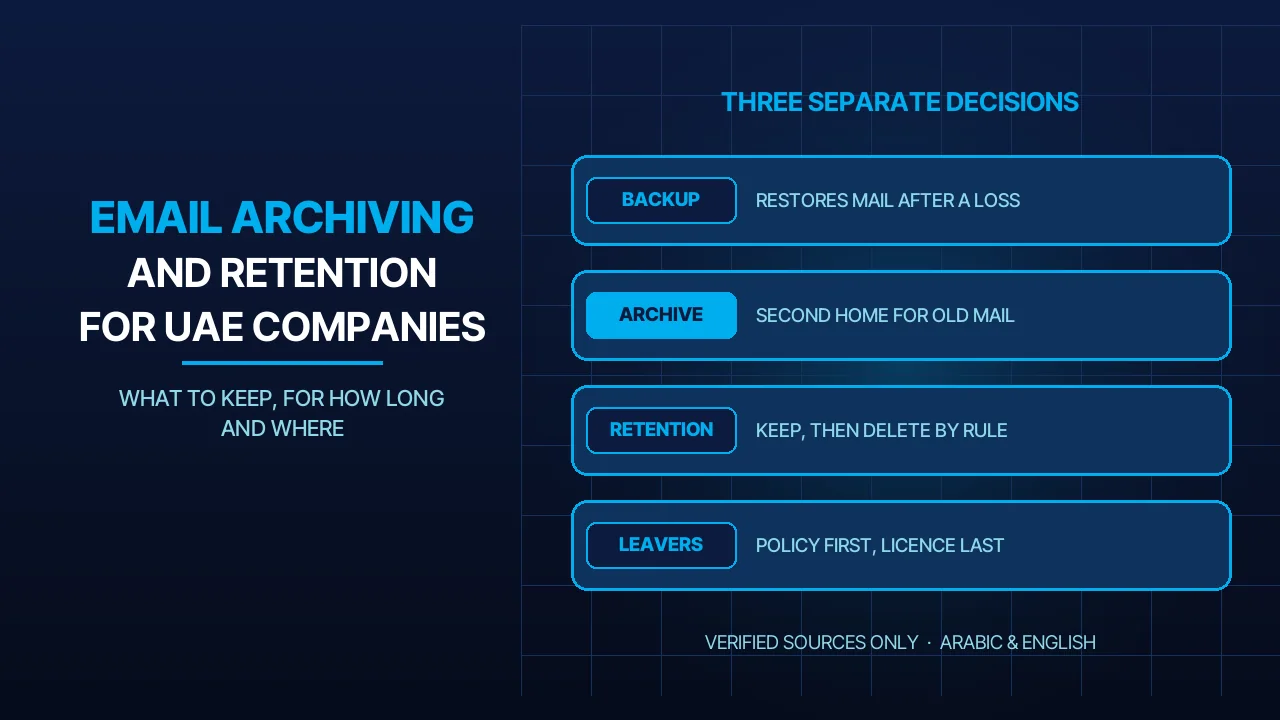
Backup, archive and retention are three different things. A backup restores mail after a loss. An archive gives old mail a second place to live. A retention policy decides how long mail is kept and when it is deleted. In Microsoft 365, policies can retain, delete, or retain and then delete, as Microsoft’s retention documentation describes. In Google Workspace, Google Vault does this with retention rules and holds. The Federal Tax Authority says corporate tax records must be kept for at least 7 years after the tax period ends. Your auditor decides which emails count; we configure the result on your business e-mail.
Backup, Archive and Retention Are Three Different Things
The three words answer different questions, and a company needs a decision on each.
| Question it answers | Where the mail lives | What it will not do | |
|---|---|---|---|
| Backup | Can we get mail back after a loss? | A separate copy, outside the mailbox | Decide how long anything must be kept |
| Archive | Where does old mail go when the mailbox fills? | A second mailbox beside the primary one | Stop its owner from deleting mail |
| Retention | How long must we keep this, and when do we delete it? | In the mailbox itself, enforced by a rule | Restore a mailbox to last week’s state |
An archive is storage, not protection. In Microsoft 365 the archive is an additional mailbox attached to the user’s primary mailbox, according to Microsoft’s archive mailbox page. A default policy moves items that are 2 years or older from the primary mailbox to the archive.
Retention is a rule, not a copy. Google says so about Vault in its retention documentation: Vault is built into the services it covers and is not a separate archive.
Backup is still its own job. Neither of the other two is an independent copy to restore from. That is what a backup service is for; the reasoning matches our backup and recovery plan for websites.
The Mailbox Limits That Force the Question
As it reads on 2026-11-16, Microsoft’s Exchange Online limits table lists the user mailbox at 100 GB on Microsoft 365 Business Basic, Business Standard, Business Premium and E3/E5, and at 50 GB on Exchange Online Plan 1 and Office 365 E1.
What happens at the limit. On a 100 GB mailbox the user is warned at 98 GB and can no longer send at 99 GB. At 100 GB Exchange Online rejects incoming mail and returns a non-delivery report to the sender. A full mailbox is a customer-facing fault: the person writing to you gets a bounce.
What the archive adds. The same table gives 50 GB of archive on Business Basic and Business Standard. On Business Premium, E3/E5 and Exchange Online Plan 2 the archive starts at 100 GB and grows to 1.5 TB once auto-expanding archiving is turned on; Microsoft’s archive page says E5-level licences are moving to 3 TB. It adds that when a primary mailbox passes 96% of its quota, auto-archiving moves the oldest items across, if an archive is enabled.
What is not allowed. Microsoft states that using journaling, transport rules or auto-forwarding to copy messages into an Exchange Online mailbox for archiving is not permitted, and that an archive mailbox is for one user.
How Long to Keep Mail in the UAE
We found no single number for email. The period attaches to the type of record, not to the medium. An invoice sent by email is a financial record. A lunch invitation is not.
The one period we verified. In a statement dated 27 August 2025, the Federal Tax Authority (FTA) said taxable persons and exempt persons must retain the relevant records for at least 7 years following the end of the tax period they relate to. The statement is about corporate tax records. It does not say that every email must be kept for 7 years.
What we did not verify. Other periods are quoted for VAT, employment files and commercial books. We did not find an official page that states them plainly, so we do not repeat them. Confirm each with your auditor or legal adviser, and ask: which of our emails count as records?
Who decides. Not IT. The owner or general manager signs the policy. The auditor or finance lead sets the periods for financial mail, HR for staff matters, and a legal adviser says when a dispute calls for a hold. IT, or we as your provider, turn those decisions into settings. Longer is not always safer: Microsoft’s retention documentation lists permanently deleting old content you are no longer required to keep as a way to reduce risk in litigation or a security breach. Mailboxes are also full of personal data, the subject of our guide to the UAE data protection law.
The Tools: Retention Policies, Litigation Hold and Google Vault
Microsoft 365 retention policies. Microsoft’s retention page describes three outcomes: retain-only, delete-only, and retain and then delete. Two rules settle conflicts when more than one policy touches a message: retention wins over deletion, and the longest retention period wins. For most small companies, we start with one policy on all mailboxes set to retain and then delete.
Litigation Hold. Microsoft’s Litigation Hold page, written for Exchange Server, describes a hold that preserves all mailbox content, including deleted items and the original versions of modified items. It can run indefinitely or for a set number of days; its own example is 2,555 days, roughly 7 years. Microsoft’s retention documentation says Litigation Hold is still supported in Exchange Online but recommends retention policies or eDiscovery holds in its place. We treat it as the tool for a specific dispute, not as the company’s retention policy.
Google Vault. Google’s retention page says Workspace data stays in an account until the user or an admin deletes it, unless retention rules are set. A default rule covers all mail; custom rules narrow it by organisational unit, date range or search terms. Holds preserve data indefinitely and take precedence over retention rules. Google’s own example: a default Gmail rule of 365 days, with no custom rules or holds, deletes every message older than 1 year. The page warns that a badly set rule can purge data immediately and irreversibly, and recommends testing new rules on a small group first.
Not chosen a platform yet? Our comparison of Microsoft 365 and Google Workspace covers the rest.
When an Employee Leaves
This is the moment mail is most easily lost. The account is deleted to save cost, and the mailbox goes with it.
Microsoft 365. When an account is removed, the mailbox data is kept for 30 days and then permanently removed, according to Microsoft’s inactive mailbox page. If a retention policy or another hold was applied before the account was deleted, the mailbox becomes an inactive mailbox and its content is kept for the retention period. Microsoft recommends this order: apply the retention policy, confirm the hold is on the mailbox, then delete the account.
Google Workspace. A deleted user can be restored within 20 days, according to Google’s page on deleting a user. The same page states that Vault retention rules and holds no longer apply to a deleted user’s data: it can be purged immediately and cannot be recovered even if the user is restored. To keep the data, transfer it to another user before deletion, or suspend or archive the account with an Archived User licence.
The order we follow. When we set this up for a client, the order is fixed. Block sign-in. Confirm the retention policy or hold covers the mailbox. Hand the mail a colleague needs to that colleague. Only then delete the account or, on Google, archive it.
Three Decisions to Make
- Decide the periods. Ask your auditor and legal adviser for the period for each type of record. Write one line per mailbox group: finance, HR, management, everyone else. Where they confirm that mail supports your tax return, the FTA’s minimum 7 years run from the end of the tax period, not from the message date.
- Decide where old mail lives. Turn on the archive before mailboxes fill. If you are changing platform anyway, set retention as part of the email migration; our Microsoft 365 migration guide covers the move itself.
- Decide who orders a hold and who signs off a leaver. Name one person for each.
A one-page policy that answers these three questions is enough for most companies of this size. On a hosted mailbox plan outside Microsoft 365 and Google Workspace the same questions apply; ask us what your plan supports.
Frequently Asked Questions
Is an archive mailbox the same as a backup?
No. An archive mailbox is a second mailbox that holds older mail and frees space in the primary one. Its owner can still delete from it; a retention policy or hold keeps a copy. A backup is a separate copy used to restore mail after a loss.
How long must a UAE company keep its emails?
We found no single period for email. It depends on what the message records. The Federal Tax Authority states at least 7 years after the tax period ends for corporate tax records. For other records, confirm the period with your auditor or legal adviser first.
What happens to a mailbox when an employee leaves?
In Microsoft 365 the mailbox is kept for 30 days after the account is removed, then permanently deleted, unless a retention policy or hold was applied first. In Google Workspace a deleted user can be restored within 20 days, but Vault no longer protects the data.
Sources
- Microsoft Learn, Learn about retention policies and retention labels (accessed 2026-11-16)
- Microsoft Learn, Learn about archive mailboxes (accessed 2026-11-16)
- Microsoft Learn, Exchange Online limits (accessed 2026-11-16)
- Microsoft Learn, Place a mailbox on Litigation Hold (accessed 2026-11-16)
- Microsoft Learn, Learn about inactive mailboxes (accessed 2026-11-16)
- Google Workspace Help, How retention works (accessed 2026-11-16)
- Google Workspace Help, Delete or remove a user from your organization (accessed 2026-11-16)
- Federal Tax Authority, The Federal Tax Authority emphasises the need to retain records and documentation, 27 August 2025 (accessed 2026-11-16)
Where We Are
BIGBANG ITS has planned and run technology for UAE businesses since 2003, headquartered at the Sharjah Research, Technology and Innovation Park with a branch in Business Bay, Dubai. Support runs 24/7 and the office is open Saturday to Thursday, 09:00–18:00 Gulf time. If you want retention and archiving set up correctly on your company mailboxes, contact us or message us on WhatsApp.
Talk to us directly — we usually reply within minutes during business hours.