Most UAE small businesses we work with have a backup of some kind. Far fewer have a ransomware recovery plan: a written answer to which copy you restore from, who switches what off, who talks to customers and how long the business can run on paper. When the ransom note appears on a Sunday morning, those questions get answered in a hurry by whoever is in the office. This guide sets out what to prepare before that day, based on published government guidance and on the gaps we commonly find in small-office setups.
Quick Answer
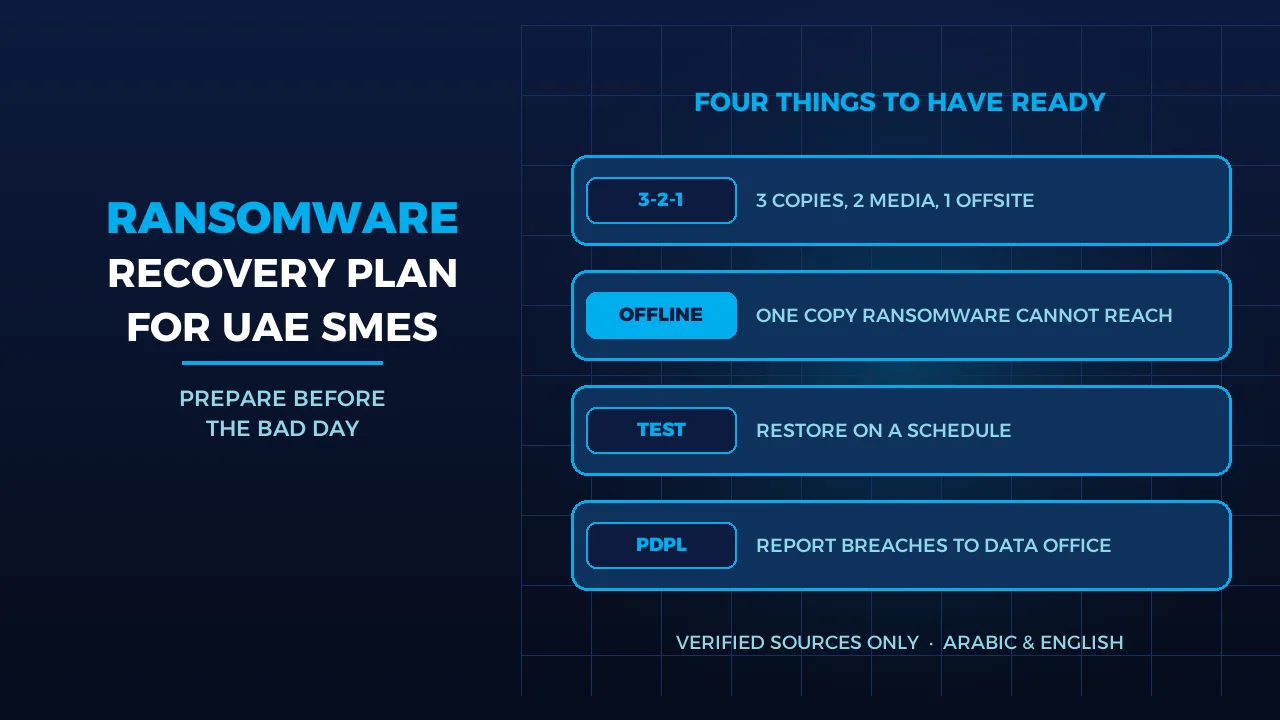
A ransomware recovery plan for a small business has four parts. First, backups that the attacker cannot reach: the CISA #StopRansomware Guide says to keep offline, encrypted backups because many ransomware variants look for and delete or encrypt any backup they can reach. Second, the 3-2-1 rule: 3 copies, 2 devices or media, 1 offsite. Third, restore tests on a schedule, not on the bad day. Fourth, named decision makers and a paper copy of the plan. If you hold personal data, the UAE PDPL also requires you to report qualifying breaches to the UAE Data Office. Our backup solutions and annual maintenance contract can help with the technical side.
Why Ransomware Goes After Your Backups First
Ransomware is no longer only about locking files. The CISA ransomware guide describes “double extortion”: attackers copy your data out as well as encrypting it, and threaten to publish what they took if you do not pay. The same guide warns that many variants search for accessible backups and delete or encrypt them so that restoring becomes impossible. The UK National Cyber Security Centre makes the same point in its ransomware mitigation guidance: ransomware actively targets backups to raise the chance of payment.
What this means in practice: a USB disk that is always plugged into the server, or a network share mapped as a drive letter on every PC, is not a ransomware backup. If your staff can browse to it, so can the malware running under their accounts. In our experience it is a common gap in small offices, and usually inexpensive to close.
The Backup Layer: 3-2-1, Offline and Versioned
Both agencies point to the same pattern. The NCSC blog Offline backups in an online world sets four rules: keep at least one backup offline at any time, make sure cloud backups can be rolled back to an older version, follow 3-2-1 (at least 3 copies, on 2 devices, 1 offsite) and back up regularly. CISA’s paper on data backup options states the same 3-2-1 rule: 1 primary and 2 backups, on 2 different media types, with 1 copy stored offsite.
Offline can include the cloud. The NCSC explains that cloud storage can act as an offline copy if it refuses connections while it is not in use, so ransomware on your network cannot reach it. CISA also suggests delete protection or object lock on cloud storage. For cloud backup services, the NCSC’s principles for ransomware-resistant cloud backups add that you should be able to restore an earlier version even if later ones are corrupted, that retention should run for a fixed time period rather than a fixed number of copies, and that alerts should fire when someone attempts privileged changes.
| Where the copy lives | Can ransomware on your network reach it? | Role in a recovery plan |
|---|---|---|
| Disk or NAS always connected and mapped as a drive | Yes, if users can reach it | Fast restore of a single file; not your ransomware copy |
| Cloud backup with version history and time-based retention | Harder; older versions can be restored if newer ones are hit | Main offsite copy |
| Offline copy: disconnected disk, or cloud storage that refuses connections when idle | No, while it stays disconnected | The copy you rebuild from |
Do not forget the rebuild kit. CISA recommends keeping “golden images” of critical systems, meaning ready-made templates with the operating system and applications installed, plus offline copies of installers, licence agreements and IT documentation. Data alone does not bring a server back; you also need something clean to restore it onto.
Restore Tests: The Step Most Plans Skip
A backup you have never restored is a hope, not a plan. CISA asks organisations to regularly test the availability and integrity of backups in a disaster recovery scenario, and the NCSC asks you to check that you know how to restore files and to test regularly that it works as expected.
- Restore something real. Pick one business system, such as accounts or the shared drive, and restore it to a separate machine. Time it.
- Write the order down. CISA advises restoring by a predefined list of critical assets, starting with what drives revenue and the systems those depend on.
- Restore clean. CISA warns that attackers may leave other malware behind that must be found before you rebuild from backups, and that recovery must not re-infect clean systems.
- Record the result. The time a test restore takes is the honest number to give management when they ask how long the business will be down.
We cover the website side of this in our website backup and recovery plan guide.
Who Decides on the Bad Day
Technical steps fail when nobody knows who is allowed to take them. CISA recommends a basic incident response plan with a communications plan, and says to keep a hard copy and an offline version of it. That matters because your file server and email may be the first things lost.
- Who isolates. CISA’s first response step is to work out which systems are affected and isolate them immediately, taking the network offline at the switch if several systems are hit. Powering devices down is a fallback only, because it destroys evidence held in memory. Name the person who may pull the cable without waiting for approval.
- Who decides on the ransom question. The NCSC says law enforcement does not encourage, endorse or condone paying, and that paying gives no guarantee you will get your data back. It also asks organisations to decide in advance how they would respond to a ransom demand and to a threat to publish data. Agree who makes that call before it is needed.
- Who speaks. One person for staff, one for customers and suppliers, and one contact for your IT provider. Keep their mobile numbers in the paper plan.
Our first-hour response guide walks through the first steps for a compromised website.
The UAE PDPL Breach Notification Duty
Federal Decree-Law No. 45 of 2021 on the Protection of Personal Data came into force on 2 January 2022, according to the UAE government portal. Article 9 of the law text (Arabic) requires a controller, once it becomes aware of a breach that would prejudice the privacy, confidentiality or security of a person’s data, to notify the UAE Data Office of the breach and the results of its investigation, within the period and procedures set by the executive regulations. The notice must describe the nature, cause and approximate scale of the breach, give the data protection officer’s details, set out likely effects and the measures taken, and document the breach. The controller must also inform affected individuals, and a processor such as an outsourced provider must tell the controller as soon as it learns of a breach.
For a ransomware plan, that means three things: know whether the systems at risk hold personal data, keep enough logs to describe what happened, and put the notification step and its owner in the plan. The exact deadline sits in the executive regulations, so confirm the current position with your legal adviser. Businesses in free zones with their own data law, such as DIFC, should check which regime applies. Our article on the UAE PDPL and your website covers the wider obligations.
Three Decisions to Make This Month
- Decide where your offline copy lives. Either a disconnected disk rotated on a schedule or cloud storage that refuses connections when idle, with version history. Our backup solutions team can help you set this up.
- Decide how often you test a restore, and who signs it off. Write the interval and the sign-off name into the plan, and record how long each test restore takes. Restore testing can be discussed as part of an annual maintenance contract.
- Decide who does what, and print it. Isolation, the ransom question, PDPL notification and customer messages each need a named owner. For larger estates, our infrastructure operations service can help with monitoring and with keeping golden images up to date.
Frequently Asked Questions
Is cloud sync the same as a backup?
No. A sync folder copies changes, including encrypted files, to every linked device. A backup keeps older versions you can roll back to. The NCSC advises choosing cloud backups that can restore an earlier version even if later versions are corrupted, and keeping at least one copy offline at any time.
How often should a small business test a restore?
Neither CISA nor the NCSC sets a fixed interval; both say to test regularly. We suggest a full test of one critical system at least each quarter, plus a test after any major change, such as a new server or a move to cloud. Record how long each restore takes.
Do we have to report a ransomware attack under the UAE PDPL?
If the attack affects personal data in a way that would prejudice its privacy, confidentiality or security, Article 9 requires the controller to notify the UAE Data Office and inform the people affected, within the period set by the executive regulations. Check the details with your legal adviser.
Sources
- CISA, #StopRansomware Guide (accessed 2026-10-26)
- CISA, Data Backup Options (accessed 2026-10-26)
- UK NCSC, Mitigating malware and ransomware attacks (accessed 2026-10-26)
- UK NCSC, Offline backups in an online world (accessed 2026-10-26)
- UK NCSC, Principles for ransomware-resistant cloud backups (accessed 2026-10-26)
- UAE Government portal, Data protection laws (accessed 2026-10-26)
- Federal Decree-Law No. 45 of 2021, Personal Data Protection Law, Arabic text (PDF) (accessed 2026-10-26)
Where We Are
BIGBANG ITS has planned and run technology for UAE businesses since 2003, headquartered at the Sharjah Research, Technology and Innovation Park with a branch in Business Bay, Dubai. Support runs 24/7 and the office is open Saturday to Thursday, 09:00–18:00 Gulf time. If you want a recovery plan written and a restore test run on your own systems, contact us or message us on WhatsApp.
Talk to us directly — we usually reply within minutes during business hours.