The usual trigger is small. A renewal invoice arrives for a mail server nobody wants to keep, a new finance manager asks why the shared accounts@ mailbox lives on one person’s laptop, or the old provider starts landing in spam at a big customer. Then someone searches for business email migration in the UAE and finds a dozen pages that promise “zero downtime” without saying what moves, what breaks, and who holds the admin passwords for three days. This is the explanation we give our own clients before any migration starts; if you only want the service, it is on our email migration page.
Quick Answer
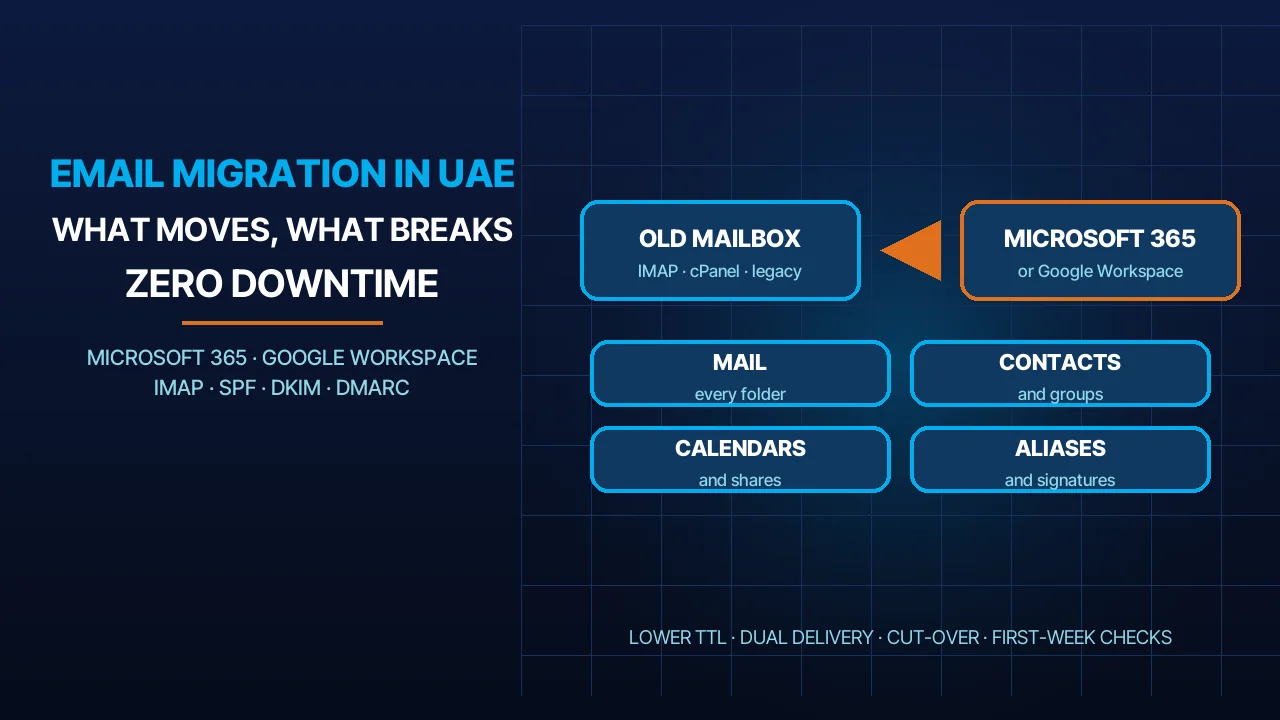
Business email migration in the UAE is the move of a company’s mailboxes, contacts, calendars, shared mailboxes and aliases from one mail platform to another, usually to Microsoft 365, Google Workspace or hosted IMAP, without changing anyone’s email address. Done in the right order, nobody loses a message and nobody notices the switch: the historical mail is copied first while the old system keeps running, the DNS TTL is lowered in advance, delivery runs to both systems during the switch, and the MX record changes last. Done in the wrong order, the company spends a week answering “did you get my email?”. The sequence, not the tool, is what decides which of those two outcomes you get.
What Actually Moves (Mail, Contacts, Calendars, Shared Mailboxes, Aliases)
Every migration we run starts with an inventory, because the mailbox is never the whole story. These are the objects that have to arrive on the other side.
Mailboxes and folders. The messages themselves, with their folder structure, read and unread state, and flags. Most platforms copy these well. What copies less reliably is anything the old client created locally: PST archives in Outlook, “On My Computer” folders in Apple Mail, and rules that were never saved on the server. We ask for those up front; no migration tool will see them.
Contacts and calendars. Personal contacts and calendars move with the mailbox. Shared calendars, meeting rooms, recurring meetings with external attendees and delegated access need to be rebuilt on the destination, and the people who had delegate rights need to be granted them again. A manager whose assistant can no longer see the calendar is the most common complaint on day one, and it is entirely avoidable.
Shared mailboxes and groups. info@, sales@, accounts@ and support@ are usually shared mailboxes or distribution groups, not users. They have to be created on the new platform before the switch, with the same membership, otherwise mail to those addresses bounces or lands in one person’s inbox.
Aliases and forwarders. Old staff addresses that forward to a current employee, department aliases, and the catch-all some companies still run. We list every one from the old server and decide with you which to keep.
Mail-sending systems that are not people. The website contact form, the accounting software, the scanner in the copy room and the CRM all send mail through the old server’s SMTP settings. They do not appear in any mailbox list, and they stop working the day the old server goes dark unless someone updates them. How these addresses are structured in the first place is covered in our guide to making a company email.
What Breaks If You Do It in the Wrong Order
Almost every failed migration we have been asked to rescue failed on sequence, not on technology. These are the four patterns.
Changing MX before the data is copied. The MX record tells the world where to deliver mail for your domain. If it points at the new platform before the mailboxes, groups and aliases exist there, new mail bounces or is delivered to empty mailboxes while the old ones still hold everything. Staff then work out of two systems for days. The MX change is the last step, never the first.
Forgetting SPF, DKIM and DMARC. The new platform sends mail from different servers. If your SPF record still lists only the old provider and no DKIM key is published for the new one, outgoing mail starts failing authentication, and a strict DMARC policy will have receivers reject it. Clients see this as “our email suddenly goes to spam”. The records are explained in our article on SPF, DKIM and DMARC; they must be ready before the switch, not after the first complaint.
Signatures and disclaimers. Signatures are stored in the client, not in the mailbox, so they do not migrate. Server-side disclaimer rules do not migrate either. We collect the approved signature template before the move and either push it centrally on the new platform or hand each user a one-minute instruction.
Mobile devices and desktop clients. Phones keep talking to the old server until the account is removed and re-added, so they show stale mail or stop syncing. Outlook profiles on desktops need rebuilding. We schedule this per user, in the order the business needs, starting with the people who travel. A migration is not finished when the data has moved; it is finished when every device is pointed at the new platform.
Our Migration Sequence
This is the order we use for a company moving to Microsoft 365, Google Workspace or a hosted IMAP server. The exact tools change with the source and destination; the order does not.
- Inventory. Users, aliases, groups, shared mailboxes, forwarders, mailbox sizes, mail-sending systems, devices and the DNS records currently in place. We also agree who the technical contact is and the switch window, which is always outside working hours.
- Credentials under our process. We work from a temporary administrator account on both the old and the new platform, issued for the project and removed when it is signed off. Staff passwords are never collected over email or WhatsApp; where user-level access is unavoidable, the password is changed by the user after the move.
- Build the destination. Verify the domain on the new platform, create every user, alias, group and shared mailbox from the inventory, and apply the security baseline. The MX record is still untouched; the new platform is live but receives nothing.
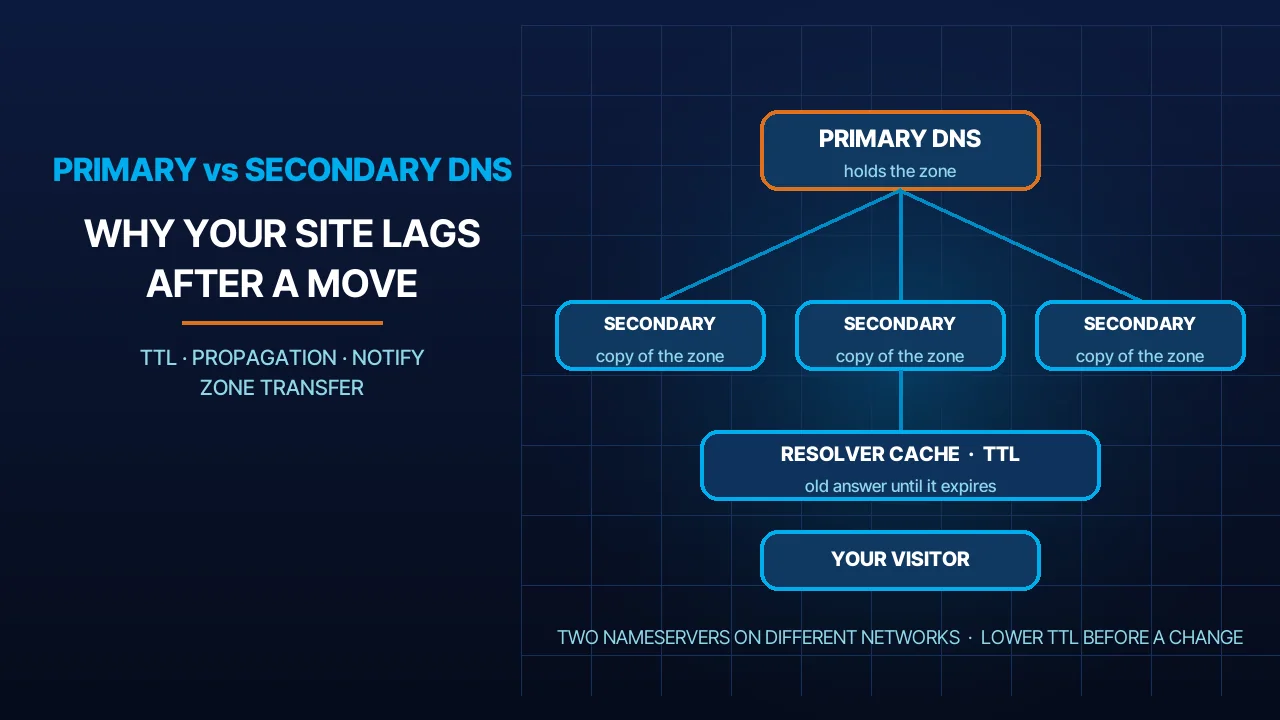
- Lower the DNS TTL. The TTL on a DNS record is the time a resolver may cache it before it must ask again, as defined in RFC 1035. We lower the TTL on the MX and related records well before the switch so that, on the day, the change is seen quickly everywhere. How long propagation takes and why is in our post on DNS propagation.
- Initial copy. The full history of every mailbox is copied to the destination while the old system keeps running. Staff carry on working; nothing changes for them yet.
- Dual delivery. For the switch window, incoming mail is delivered to both platforms, by forwarding or co-existence rules, so a message that arrives at either side is not lost.
- Switch. MX, SPF, DKIM and DMARC records are updated together, and we confirm with external test messages that mail arrives on the new platform and authenticates correctly.
- Delta sync. A second pass copies anything that reached the old mailboxes during the switch. This is the step that makes “nobody loses a message” true rather than a slogan.
- Devices and sign-off. Clients and phones are reconfigured, signatures applied, sending systems repointed, and the business signs off. The old platform stays read-only for an agreed period, then the temporary admin accounts are removed and the old service is cancelled.
If you are doing a platform-specific move yourself, our step-by-step guides on migrating to Office 365 and transferring to Google Workspace cover the console clicks; this article is the plan that sits above them.
Choosing the Destination: Microsoft 365, Google Workspace or Hosted IMAP
We do not have a favourite. The right destination depends on what the company already uses, who administers it, and what it is prepared to pay per user per year. The table shows how we frame the choice with clients; current plan details are on Microsoft’s UAE plan comparison and Google Workspace pricing, and the current price for our managed plans is on the portal.
| Question | Microsoft 365 | Google Workspace | Hosted IMAP (cPanel) |
|---|---|---|---|
| Typical fit | Companies that live in Outlook, Excel and Teams, or that need Windows device management | Companies that work in the browser and share documents constantly | Small teams that need reliable mail on their own domain and little else |
| Mail client | Outlook desktop and web; any IMAP client | Gmail web and apps; IMAP clients with some limits | Any IMAP client plus webmail |
| Calendars and contacts | Exchange calendars, rooms, delegation | Google Calendar, shared calendars, rooms | Basic, via CalDAV and CardDAV |
| Shared mailboxes and groups | Native shared mailboxes and distribution groups | Groups as collaborative inboxes | Forwarders and aliases; no true shared inbox |
| Administration | Admin centre, policies, device control | Admin console, policies | cPanel; we administer it for you |
| Licensing | Per user, tiered plans | Per user, tiered plans | Per hosting plan, not per user |
| Where to check cost | Microsoft’s plan page | Google’s pricing page | Our portal |
Two notes from experience. First, a company that has been on hosted IMAP for years and moves to Microsoft 365 or Google Workspace mainly for shared calendars and document collaboration usually finds the per-user licence worth it; a company that only reads and sends mail often does not. Second, if cost is the deciding factor, read our breakdown of Google business email pricing before assuming the cheapest headline plan is the cheapest in practice.
Compliance and Where the Data Lives
Email is personal data: names, phone numbers, Emirates ID scans in attachments, salary letters, customer complaints. The UAE’s Personal Data Protection Law, Federal Decree-Law No. 45 of 2021, has applied since 2 January 2022 and sets out requirements for the cross-border transfer of personal data, as summarised on the UAE government portal. What this means for a migration is practical, not theoretical.
Know the region before you sign. Ask the vendor or your reseller where your tenant’s data is stored at rest, get the answer in writing, and record it. For hosted IMAP on our own servers, we tell you the country directly. If a customer contract or regulator requires data to stay in a particular jurisdiction, that decides the destination before any feature comparison.
The migration itself is a transfer. During the copy, mailbox content passes through the migration tool and, for a short time, exists in two places. We keep that window short, use the vendor’s own migration endpoints where they exist, and delete the source copy only after sign-off, on a date you choose. We also keep a written record of who had admin access and when. Our wider notes on what the law expects of a company are in UAE data protection law and your website.
Retention and legal hold. If the company is in a dispute or an audit, mailboxes under hold need to be handled separately so that nothing is altered. Tell us before the inventory, not after the switch.
After the Move: The First Week
The switch night is the easy part. The first week is where a migration is judged, so we stay on it.
Day one. We watch the delivery logs on both platforms for bounces and authentication failures, and send test messages from outside the company to every shared address. Any device that has not reconnected is chased individually.
Days two to three. Signatures, out-of-office messages, mailbox rules and the sending systems that nobody remembered, usually the scanner and the website form, surface now. We fix them as they come.
End of the week. We check that mail flow to the old platform has stopped, confirm the delta sync left nothing behind, review any DMARC reports the domain receives, and agree the date to switch off the old service. Only then do we remove our temporary access and close the project. From that point the mailboxes are supported like any other service on our business email plans, 24/7 in Arabic and English.
Frequently Asked Questions
How long does business email migration take in the UAE?
It depends on the number of mailboxes and their size, not on the calendar. The initial copy runs in the background while staff keep working, and the switch itself happens outside working hours. For a small company the whole project, from inventory to sign-off, is usually a matter of days rather than weeks; large archives take longer to copy.
Will we lose emails during the migration?
Not if the order is right. The full history is copied before the switch, delivery runs to both platforms during the switch window, and a delta sync afterwards collects anything that arrived in between. Messages are lost when the MX record is changed first and the copy happens later; that is the mistake we are hired to avoid.
Can we migrate from Office 365 to Google Workspace, or the other way?
Yes, and both directions are routine. The inventory, TTL, dual delivery and delta-sync steps are the same; only the migration tool changes. We have separate step-by-step guides for moving to Office 365 and to Google Workspace, linked above, and we handle the admin-side work for clients who would rather not touch the consoles.
Do we need to change our domain or email addresses?
No. Your domain stays with its registrar and every address stays exactly as it is. The only things that change are DNS records, mainly MX, SPF, DKIM and DMARC, which tell the world which platform now handles your mail. Customers and suppliers keep writing to the same addresses and never need to be told anything.
Sources
- RFC 1035: Domain Names, Implementation and Specification (accessed 2026-10-18)
- Data protection laws, UAE government portal (accessed 2026-10-18)
- Compare all Microsoft 365 business plans (UAE) (accessed 2026-10-18)
- Google Workspace plans and pricing (accessed 2026-10-18)
Where We Are
BIGBANG ITS has planned and run technology for UAE businesses since 2003, headquartered at the Sharjah Research, Technology and Innovation Park with a branch in Business Bay, Dubai. Support runs 24/7 and the office is open Saturday to Thursday, 09:00–18:00 Gulf time. Contact us or message us on WhatsApp.
Talk to us directly — we usually reply within minutes during business hours.