We see this situation a lot: a business owner in Dubai or Sharjah wants a new website, opens the hosting plans page, finds “Windows hosting” and “Linux hosting” at two different prices, and has no idea which host to pick. Many of the people who ask us lean towards Windows because their PC runs Windows, or because a developer once said “ASP” in a meeting. In reality, the server’s operating system is a technical decision set by what your site is written in, not by what you use in your office. In this article we explain when you genuinely need Windows hosting, when Linux hosting is enough, and the mistakes we have seen UAE clients make when choosing.
Quick Answer
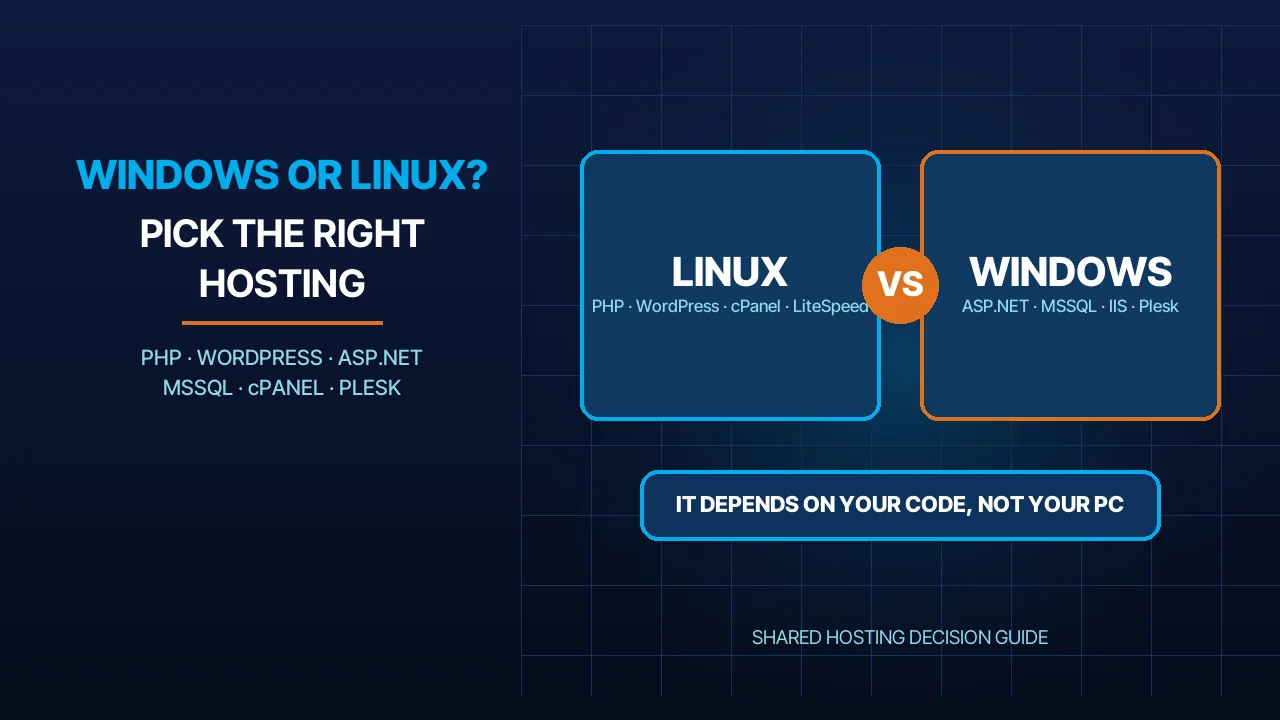
Choose Linux hosting if your site runs on WordPress, PHP, Laravel or any mainstream e-commerce platform; that is most of the sites we manage. Choose Windows hosting only if your site is written in ASP.NET on the .NET Framework, depends on an MSSQL or Access database, or needs IIS specifically. Your own computer’s operating system has nothing to do with it. If your project is on modern ASP.NET Core you are in a grey zone: it runs on both, and the choice comes down to the database and the team that will look after the server. When in doubt, ask your developer one question: “What language and framework is the site written in?” The answer settles it in a minute.
The Real Difference: the Server’s OS, Not Your PC’s
The first myth we run into: “I use Windows, so I need Windows hosting.” Hosting means your site’s files live on a server in a data centre, and that server’s operating system decides which software can run on it. You log in to the control panel from a browser and upload files from any device, whether it is a Mac, a Windows PC or a phone.
What actually differs? Three things. First, the web server: IIS on Windows, versus Apache, Nginx or LiteSpeed on Linux. Second, the programming languages that work out of the box without special setup. Third, the default database: MSSQL on Windows, versus MySQL or MariaDB on Linux. Everything else, from email to SSL certificates to backups, is available on both.
What does not differ? Your visitors neither know nor care which OS the server runs. The browser requests a page and receives HTML, and the result is the same. So do not choose a hosting OS because it feels familiar; choose it because your site’s code needs it.
When You Need Windows Hosting
You need Windows hosting when your site depends on a technology that only runs on Windows. These are the clearest cases we see:
ASP.NET on the .NET Framework. Older Web Forms, MVC and Web Pages sites belong to the classic ASP.NET family, and Microsoft’s documentation presents ASP.NET Core as the modern alternative to it ASP.NET overview. If your site is from this family, its home is a Windows server with IIS, and the only alternative is rewriting it.
An MSSQL or Access database. Many of the local admin and accounting systems we have seen at UAE clients were built on SQL Server or on Access files, and those come ready to use on Windows shared hosting. Access files in particular have no environment outside Windows. SQL Server is a special case on Linux, which we come back to below.
Classic ASP. Sites written in old-style ASP, recognisable by their .asp files, need IIS. We still see older company sites built this way, and they work, but moving them to Linux means rewriting them from scratch.
IIS-specific modules. IIS is the Windows web server, and it has a modular architecture made of components you add and remove as needed IIS modular architecture. If your site relies on a particular IIS module or on a complex web.config file, it is easier to keep it on Windows.
| Technology | Linux | Windows |
|---|---|---|
| WordPress / PHP / Laravel | Yes, native environment | Possible but uncommon |
| ASP.NET on .NET Framework (Web Forms, MVC 5) | No | Yes |
| ASP.NET Core | Yes | Yes |
| Classic ASP | No | Yes |
| MySQL / MariaDB | Yes | Yes |
| SQL Server (MSSQL) | Yes, since the 2017 release | Yes |
| Microsoft Access | No | Yes |
| cPanel | Yes | No |
| Plesk | Yes | Yes |
When Linux Hosting Is Enough (Which Is Most of the Time)
In our experience, most of the sites we host for companies in Dubai and Sharjah run on WordPress or on a PHP application, and their natural environment is Linux. Mainstream e-commerce platforms, custom Laravel systems and company brochure sites all fall into this group.
What does WordPress actually require? The official requirements page asks for PHP 8.3 or newer, MariaDB 10.11 or newer or MySQL 8.0 or newer, and HTTPS support; it recommends Apache or Nginx but says any server that supports PHP and MySQL will do WordPress requirements. The same page notes that WordPress works on PHP 7.4 and later but those versions are end of life, and the list of currently supported versions is published on the official PHP site PHP supported versions. Note that the word “Windows” does not appear in the requirements at all.
Does PHP run on Windows? Yes, and the official PHP manual explains how to install it on Windows installing PHP on Windows. But “runs” is not the same as “recommended”. In our experience, the problems that reach us from PHP sites on Windows revolve around file paths, permissions and plugins that were never tested on IIS. And cPanel, the panel most of the WordPress developers we work with ask for, only runs on Linux cPanel documentation. When you buy Windows hosting for a PHP site you pay for something you will not use and lose something you would have.
What do we offer on Linux? Our Linux shared hosting runs on cPanel with the LiteSpeed web server and server-level caching, and it is the environment we put WordPress, Laravel and e-commerce sites on. For an environment tuned specifically for WordPress we also offer WordPress hosting, and we explained how it differs from general hosting in What is WordPress hosting vs web hosting. The current price of the Linux plans is on the portal.
The Grey Zone: ASP.NET Core and SQL Server on Linux
This is where many people get confused, because the name “.NET” suggests Windows, while the modern generation of it is no longer tied to Windows.
ASP.NET Core runs on both. Microsoft’s documentation describes it as a cross-platform, open-source framework that runs on Windows, macOS and Linux, with the Kestrel HTTP server that is cross-platform as well introduction to ASP.NET Core. Microsoft itself publishes guides for hosting it on Linux behind Nginx hosting ASP.NET Core behind Nginx or behind Apache hosting it behind Apache.
SQL Server has run on Linux since 2017. According to Microsoft’s documentation, SQL Server runs on Linux starting with SQL Server 2017, using the same database engine as on Windows SQL Server on Linux. So “I have MSSQL, therefore I need Windows” is no longer true as a blanket statement.
But shared hosting is a different story. All of the above holds on a server you manage yourself or on a VPS. On shared hosting the provider decides what is installed, and as a rule you find ASP.NET and MSSQL on Windows plans, and PHP and MySQL on Linux plans. So if your project is ASP.NET Core with MSSQL and you want a ready-made shared plan, the Windows plan is the shortest path. If you are set on Linux, you will need a VPS where you can install whatever you like.
Control Panels, Performance, Security and Cost
Control panel. cPanel is the familiar panel in the Linux world and runs only there. Plesk runs on both Linux and Windows Plesk documentation, and it is what you usually get with Windows hosting. The features are similar: file management, databases, email, SSL certificates. The difference is practical: if your team knows cPanel, moving to Plesk takes time to get used to, and the reverse is equally true.
Performance. Neither OS is “faster” in the abstract; speed is decided by the web server, the caching and the quality of the code. On Linux we use LiteSpeed with server-level caching; on Windows, performance depends on IIS and the application’s own settings. When a slow site reaches us, the operating system is rarely the cause, and we covered the usual reasons in Why your website is slow.
Security. Both are secure if they are updated regularly. The difference is how updates arrive: on Linux, packages, the web server and PHP are updated one package at a time; on Windows, security updates arrive in batches and may need a restart. In our experience, most of the compromises we have cleaned up were caused by neglected WordPress plugins or weak passwords, not by the operating system.
Cost. Windows, MSSQL and Plesk licences are paid, while Linux, Apache and MySQL are open source, and that usually shows in the plan price. So it makes no sense to pay the difference for a PHP site that gets nothing from it. The current price of the Windows plans is on the portal, and you can compare the types of shared hosting on our site.
Mistakes We See When Choosing
Moving a .NET Framework site to Linux. A client wants to “save money” by moving an old site to a Linux plan, then discovers the site does not run at all. Web Forms do not work outside Windows, and the only fix is rewriting the site on ASP.NET Core or keeping it on Windows.
Buying Windows for a PHP site. The opposite is more common: a WordPress site on Windows hosting because its owner “likes Windows”. The result is different file paths, permissions that need manual tuning, and plugins that do not find what they expect. We move these sites to Linux and the problems stop.
Mixing up MSSQL needs. A WordPress project also has to connect to an existing MSSQL database behind an ERP system. The mistake here is picking one plan that tries to serve both. The safer design is the site on Linux and the database on its own server, connected through an API or a secured direct connection.
Ignoring who will run the server. Choosing an OS your team does not know means every update becomes a support ticket. Choose what your team or your provider can actually maintain, not what looks best on paper.
Checklist Before You Buy
- What language and framework is my site written in? PHP, WordPress and Laravel: Linux. ASP.NET on the .NET Framework or Classic ASP: Windows. ASP.NET Core: either.
- Which database? MySQL or MariaDB: Linux. MSSQL or Access: Windows on shared hosting.
- Do I depend on IIS or on a specific web.config? If the answer is yes, stay on Windows.
- Which control panel does my team know? cPanel means Linux; Plesk works with either.
- Do I need a shared plan or a VPS? If your project needs custom software installed, such as SQL Server on Linux, a shared plan will not be enough.
- What is the renewal and backup plan? Ask where backups are kept and for how many days, and read What happens if hosting expires before it surprises you.
If you can answer all six, you have made your choice. If one question is still open, send us your site’s URL or the name of the framework it is written in, and we will reply with the right plan, no commitment.
Frequently Asked Questions
Do I need Windows hosting because my computer runs Windows?
No. Your computer’s operating system has nothing to do with the server’s. You log in to the control panel from a browser and upload files from any device. What decides the hosting type is your site’s language, framework and database: PHP and WordPress on Linux, ASP.NET Framework and MSSQL on Windows.
Does WordPress work on Windows hosting?
Technically yes, because PHP installs on Windows and the WordPress requirements accept any server that supports PHP and MySQL. In practice we see problems with file paths, permissions and some plugins, and you get neither cPanel nor LiteSpeed. So we recommend Linux for WordPress, and only use Windows for a specific technical reason.
My site is ASP.NET Core; should I pick Linux or Windows?
Both work, because ASP.NET Core is cross-platform and ships with the Kestrel server. The decision comes down to the database and the team: if you want a ready-made shared plan with MSSQL, Windows is quicker to set up; if your team prefers Linux and Nginx, take a VPS and install what you need.
What is the difference between cPanel and Plesk, and which comes with Windows hosting?
cPanel runs on Linux only and is what most of the PHP developers we work with ask for. Plesk runs on both Linux and Windows and is the usual panel with Windows hosting. The features are similar: files, databases, email, SSL. The real difference is what your team is used to, so pick the panel that needs no new training.
Sources
- Requirements – WordPress.org (accessed 2026-10-11)
- Overview of ASP.NET Core – Microsoft Learn (accessed 2026-10-11)
- SQL Server on Linux – Microsoft Learn (accessed 2026-10-11)
- IIS Web Server Overview – Microsoft Learn (accessed 2026-10-11)
- PHP Manual – Installation on Windows systems (accessed 2026-10-11)
- Plesk Obsidian Documentation (accessed 2026-10-11)
Where We Are
BIGBANG ITS has planned and run technology for UAE businesses since 2003, headquartered at the Sharjah Research, Technology and Innovation Park with a branch in Business Bay, Dubai. Support runs 24/7 and the office is open Saturday to Thursday, 09:00–18:00 Gulf time. Contact us or message us on WhatsApp.
Talk to us directly — we usually reply within minutes during business hours.