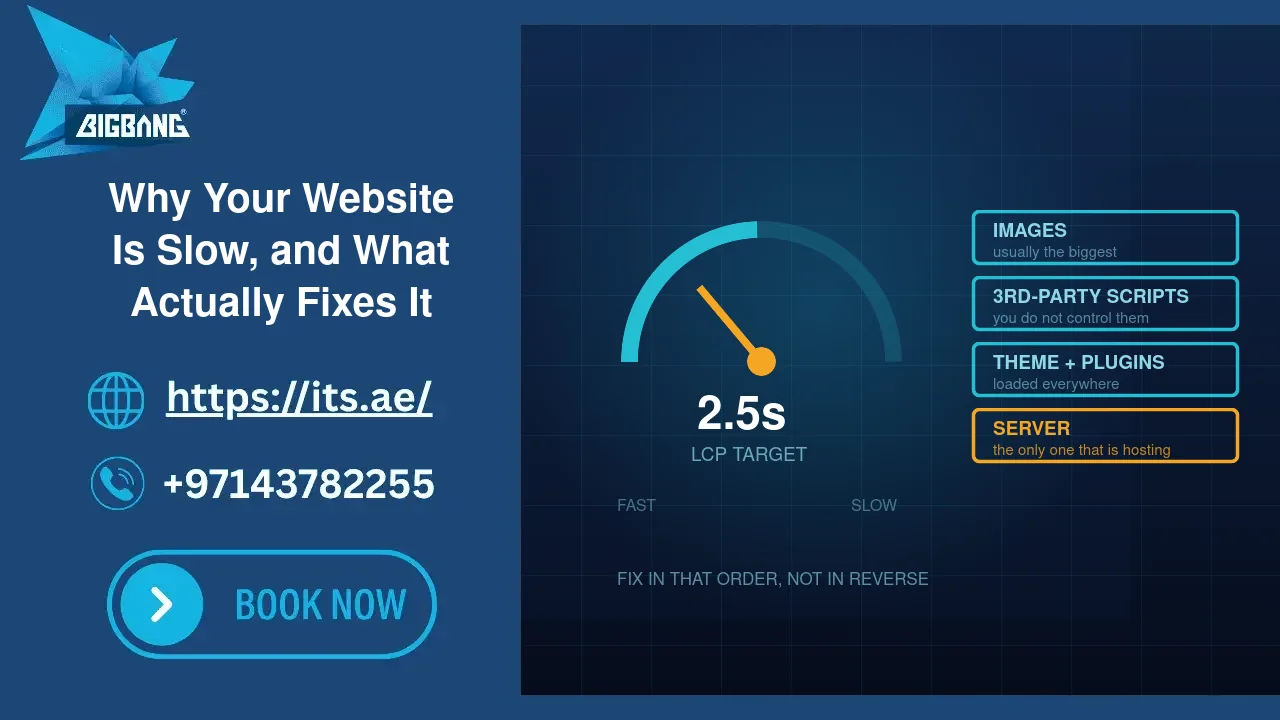
Every slow website gets the same diagnosis from its owner: “the hosting must be bad.” Sometimes that is true. More often the hosting is fine and the site is carrying four hundred kilobytes of unused JavaScript, a homepage image exported straight from a camera, and eleven marketing scripts that each wait for the others to finish.
Speed matters commercially — visitors leave slow sites, and Google uses page experience as a ranking input — but the advice online is a blur of unexplained metrics and plugin recommendations. This guide is the practical version: how to find out what is actually slow on your site, in what order to fix it, and how to tell whether hosting is genuinely the problem or the convenient explanation.
Quick Answer
Most business websites are slow for four reasons, in this order of frequency: oversized images, too many third-party scripts, a bloated theme or too many plugins, and slow server response. Only the last one is hosting. Measure first with a real tool, fix images and scripts before touching anything else, and treat “buy a bigger server” as the last step rather than the first. The measurement that matters most is Largest Contentful Paint — how long until the main content appears — and the target is under 2.5 seconds.
Measure Before You Change Anything
“It feels slow” is not a diagnosis, and your own impression is the least reliable evidence available: your browser has the site cached, and you are probably sitting near the server.
Use PageSpeed Insights (Google’s free tool) on your most important pages — the homepage, your main service page, and a blog post. It gives you two things, and the difference between them matters:
Lab data is a simulated load on a throttled connection. Useful for diagnosing, because it lists specific problems.
Field data is what real visitors actually experienced over the previous 28 days. This is what Google uses. If a site has too little traffic, this section is empty — which is normal, not an error.
Three numbers are worth knowing:
Largest Contentful Paint (LCP) — when the main content becomes visible. Good is under 2.5 seconds. This is the one to focus on.
Interaction to Next Paint (INP) — how quickly the page responds when someone taps or clicks. Good is under 200 milliseconds. Bad INP almost always means too much JavaScript.
Cumulative Layout Shift (CLS) — how much the page jumps around while loading. Good is under 0.1. Usually caused by images without dimensions, or ads and banners inserted after the fact.
Test on mobile, not desktop. Most of your visitors are on phones, and Google’s assessment weights mobile.
The Four Real Causes
1. Images — the biggest single cause, and the easiest to fix
The most common finding on a business website is a homepage banner that is 4000 pixels wide and three megabytes, displayed in a slot 1200 pixels across. The browser downloads all three megabytes and then throws most of it away.
What to do: resize images to the size they are actually displayed at, save them as WebP rather than JPEG or PNG, and enable lazy loading so images below the fold load only when scrolled to. Modern WordPress does lazy loading by default; the resizing and format conversion is what people skip.
A realistic target for a full-width banner is under 200KB. Most sites we look at have several images over a megabyte, and fixing that alone often halves load time.
2. Third-party scripts — the cause nobody wants to hear
Analytics, chat widgets, heatmaps, ad pixels, review widgets, font loaders, booking embeds. Each one is a request to somebody else’s server, and your page waits for servers you have no control over.
The pattern we see repeatedly: a marketing tool trialled two years ago, never removed, still loading on every page view for every visitor. Open your site’s page source or the network panel and list every external domain it contacts. Then justify each one. Anything you cannot justify, remove.
A related and underrated problem: fonts. Three custom font families in six weights is a genuine performance cost. Two weights of one family is almost always enough.
3. Theme and plugin bloat
Multipurpose themes ship the code for every layout they can produce, and page builders add their own. Every active plugin can add CSS and JavaScript to every page, including pages that do not use it — a contact form plugin loading its assets on your blog, for instance.
What to do: deactivate and delete plugins you do not use — deleting matters, because deactivated plugins still occupy disk and remain a security exposure. For the ones you keep, a good performance plugin can restrict each plugin’s assets to the pages that actually need them. That single change is often worth more than any caching setting.
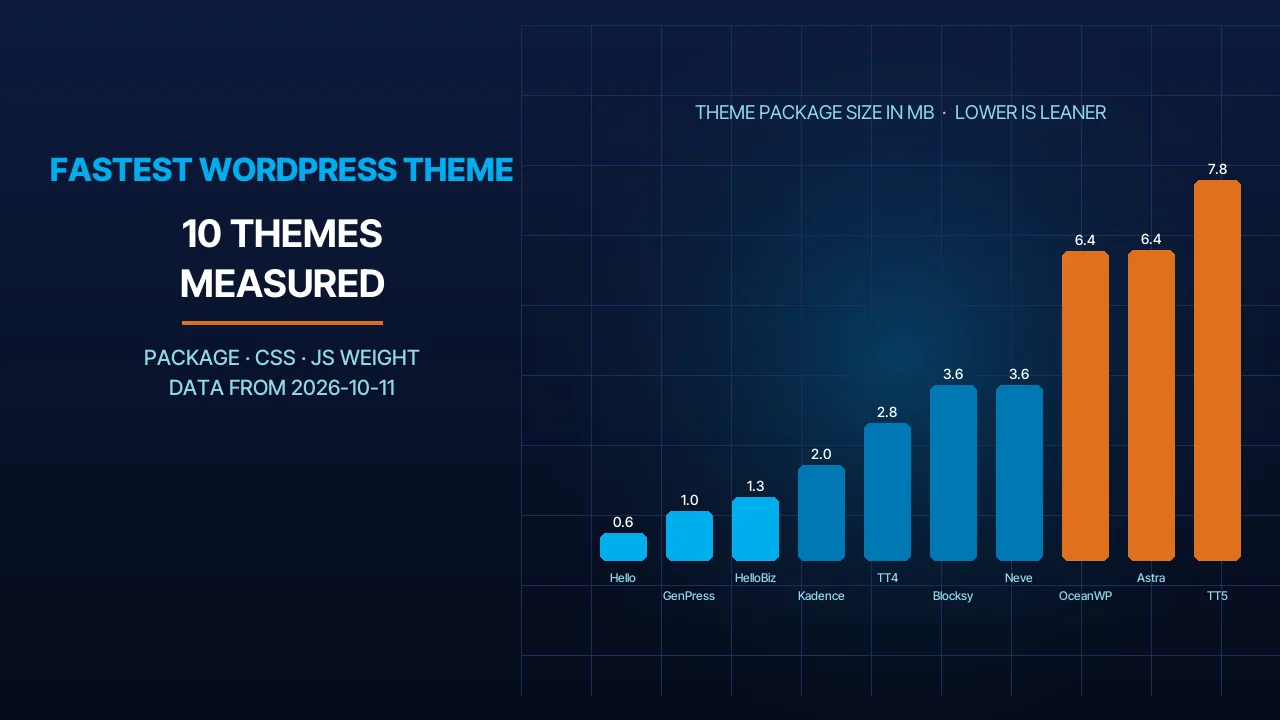
Be honest about the theme. If it is a decade-old multipurpose theme with twenty bundled sliders, no amount of optimisation will make it fast, and replacing it is the real fix.
4. Server response — where hosting genuinely matters
This is the part that is actually hosting, and it has a specific measurement: Time To First Byte — how long the server takes to start responding. Google’s guidance treats under 800 milliseconds as good and over 1,800 as poor; a healthy server delivering a cached page should answer in a few hundred milliseconds, and a figure that stays high at every hour of the day points at the server.
High TTFB has a few common causes: shared hosting that is oversold, so your site queues behind other sites on the same machine; an outdated PHP version, since each major PHP release has been meaningfully faster than the last; a database that has never been maintained; no server-side caching, so every visitor triggers a full page rebuild; and a server on the wrong continent for your audience.
That last one is straightforward and often overlooked. If your customers are in the UAE and your server is in the United States, every request crosses an ocean twice. A server in the region — or a CDN in front of one — removes a delay no amount of code optimisation can touch.
Caching: The Highest Return for the Least Work
Without caching, every visitor causes your server to run PHP, query the database, and assemble the page from scratch — for a page that has not changed in a month.
Page caching stores the finished page and serves it directly. On a typical WordPress business site this is the single largest improvement available, and it is usually a matter of switching it on rather than building anything.
Object caching stores database query results, and matters more on dynamic sites — e-commerce, membership, anything logged in.
Browser caching tells returning visitors to reuse files they already downloaded.
A CDN serves your static files from a location near each visitor.
Two practical warnings. Do not install more than one caching plugin; they conflict, and the symptoms are bizarre. And remember that a cache will happily show you a stale page after you have fixed something — clear it before concluding your fix did not work. That specific confusion has cost us hours, and it will cost you some too.
The Order to Fix Things In
Working in this order gets the most improvement for the least risk:
1. Measure with PageSpeed Insights on mobile, and note the current LCP.
2. Fix images. Resize, convert to WebP, confirm lazy loading is on.
3. Remove what you do not use. Unused plugins deleted, unused third-party scripts removed, unused fonts dropped.
4. Turn on caching — one caching solution, page and browser caching at minimum.
5. Check your PHP version. PHP 8.1 reached end of life on 31 December 2025 and 8.2 receives security fixes only until 31 December 2026, so 8.3 or newer is the sensible floor, and each release since 8.0 has been faster than the last.
6. Measure again. Compare against step 1.
7. Only now consider the server. If TTFB is still high after all of the above, hosting is genuinely your constraint.
Most sites are noticeably faster by step 4, which is why starting at step 7 wastes money.
How Fast Is Fast Enough?
Perfect scores are a vanity project. A business site that loads its main content in under 2.5 seconds on a mobile connection is doing well, and the gap between 2.5 seconds and 1.5 seconds matters far less than the gap between 6 seconds and 3.
Two things deserve more attention than the score: consistency — a site that is fast at 3am and slow at 11am has a capacity problem a single test will not reveal — and the pages that actually matter. Optimising a homepage while your main service page stays slow is optimising the wrong thing, because that is not where people decide.
Frequently Asked Questions
Does a faster website improve Google rankings?
Modestly. Google confirms that page experience, including Core Web Vitals, is a ranking signal, but relevant content still outranks a fast page with weak content. The larger commercial effect is usually on visitors rather than rankings: people abandon slow pages before reading them, so a faster site converts more of the traffic you already have.
Is shared hosting the reason my website is slow?
Usually not. Check Time To First Byte in PageSpeed Insights: if the server starts responding within a few hundred milliseconds, hosting is not the bottleneck and the delay sits in images, scripts or the theme. If TTFB stays high at every hour of the day, oversold shared hosting or a missing server-side cache is the likely cause.
Will a CDN make my website faster?
It helps most when visitors are far from your server, because static files are served from a location near them. If your customers are in the UAE and your server is already in the region, the gain is smaller. A CDN does not fix an uncached page the server builds slowly, so enable page caching first.
Sources
- Google Search Central — Understanding Core Web Vitals and Google Search results (accessed 2026-09-15)
- web.dev — Time to First Byte (TTFB) (accessed 2026-09-15)
- The PHP Group — Supported Versions (accessed 2026-09-15)
Where We Fit
BIGBANG ITS hosts and maintains business websites across the UAE, on infrastructure in the region with current PHP, server-level caching and monitoring included rather than sold as an upgrade. When a client’s site is slow, our first step is to establish whether it is the code or the server — because telling someone to buy a bigger plan when their homepage banner is three megabytes is not advice, it is a sale.
If your site feels slow and you want to know which of the four causes it actually is, send us the URL and we will measure it and tell you plainly.
Talk to us directly — we usually reply within minutes during business hours.