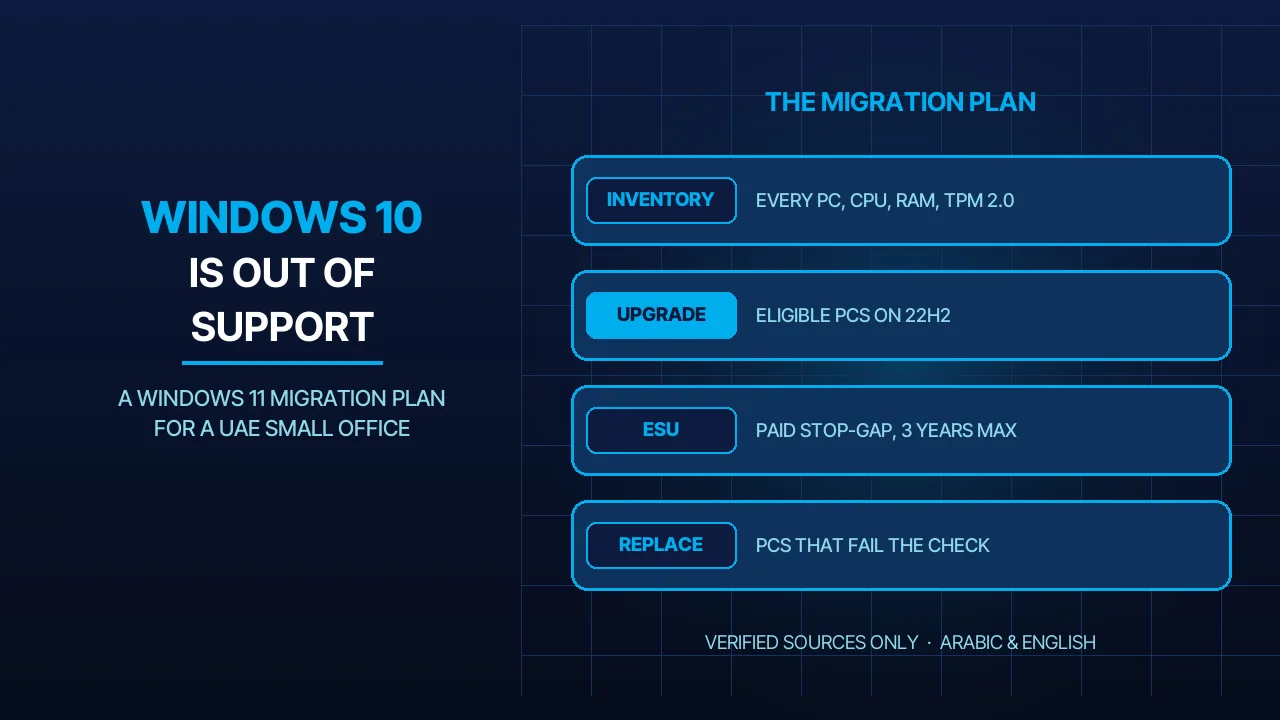
If the PCs at your reception desk, in accounts or in the warehouse still run Windows 10, they have gone without Microsoft’s routine security fixes since 14 October 2025. They still switch on, which makes the problem easy to postpone. This is the Windows 11 migration plan we would follow for a UAE office of 5 to 300 staff: count the PCs, sort them into upgrade, replace or stop-gap, protect the data, then move in batches.
Quick Answer
Microsoft ended Windows 10 support on 14 October 2025: no security updates, feature updates or technical assistance. A PC on Windows 10 version 22H2 that meets the Windows 11 hardware requirements can upgrade at no licence cost. A PC that fails and cannot be fixed should be replaced, or kept on paid Extended Security Updates (ESU) as a stop-gap: USD 61 per device for Year One, doubling each consecutive year for 3 years at most, and late joiners pay earlier years too. Before any move, take a tested backup with a backup service that does not depend on the PC itself. If nobody on your team owns this work, it can be scoped into an annual maintenance contract.
What “Out of Support” Means for Your Office Today
The PC keeps working; the protection stops. Microsoft’s end-of-support page says a Windows 10 computer will still function after the end date, but it no longer receives security updates, software updates or technical support, and it is at greater risk from viruses and malware. For what to have ready if malware gets in through such a PC, see our ransomware recovery plan.
Microsoft 365 Apps keep security updates, not full support. Word, Excel and Outlook from a Microsoft 365 subscription keep receiving security updates on Windows 10 until 10 October 2028. Feature updates stop at Version 2608. If a fault appears only on Windows 10, Microsoft support will ask you to move to Windows 11, and it will not log a bug for it. If you are reviewing the office suite too, see our Microsoft 365 and Google Workspace comparison.
Older Office went out the same day. Microsoft’s end-of-support page also says that support for Office 2016 and Office 2019 ended on 14 October 2025 on every operating system, and it gives October 2026 as the end for Office 2021.
Inventory Every PC Before You Spend Anything
A budget built on a guess misses in both directions: some old PCs pass and some newer-looking ones fail. Start with one spreadsheet row per PC:
- Who and where: user, department, model and year of purchase.
- Windows: edition (Home or Pro) and version. Microsoft’s end-of-support page ties the free upgrade to 22H2 and ESU requires it, so bring every PC to 22H2 first.
- Hardware: processor model, RAM, drive size and free space, TPM version, Secure Boot state.
- Software and devices: the accounting package, any industry application, and the printers, scanners and card readers attached.
- Data: where this user’s files actually live.
The bar each PC has to clear. Microsoft’s Windows 11 requirements are: a compatible 64-bit processor of 1 GHz or faster with 2 or more cores, 4 GB of RAM, 64 GB of storage, UEFI firmware that is Secure Boot capable, TPM version 2.0, a DirectX 12 compatible graphics card with a WDDM 2.0 driver, and a 720p display of 9 inches or more.
The quick test. Microsoft’s PC Health Check app runs an eligibility check on a Windows 10 PC and tells you why the device passes or fails. Microsoft’s system requirements page notes that this route is designed for PCs that are not managed by an IT administrator. If your PCs are managed centrally, collect the same facts from the management tool.
Upgrade, Replace or Pay for ESU: How to Sort the List
Once the inventory is filled in, every PC lands in one of 5 rows. Microsoft’s system requirements page also explains which failures can be fixed: RAM and storage can sometimes be upgraded, TPM and Secure Boot can sometimes be enabled, and the processor cannot be upgraded.
| What the check shows | What it means | What we would do |
|---|---|---|
| Passes everything, on version 22H2 | Eligible for the upgrade at no licence cost | Back up, then upgrade in place |
| Fails on RAM or storage only | A part that can sometimes be upgraded | Upgrade the part if the PC is otherwise sound |
| TPM 2.0 or Secure Boot reported as off | Sometimes a firmware setting, not missing hardware | Enable it, re-run the check, then wait for Windows Update to offer Windows 11 |
| Processor not on Microsoft’s approved list | Cannot be fixed on this PC | Replace; use ESU only to bridge the gap |
| Hardware passes, but an application or device has no Windows 11 version | A supplier problem, not a PC problem | Ask the supplier for a date; keep the PC on ESU and isolated until then |
ESU is a bridge with a rising toll. For organisations, Microsoft sells ESU through Volume Licensing at USD 61 per device for Year One, and the price doubles every consecutive year for a maximum of 3 years. By that rule Year Two is USD 122 and Year Three USD 244 per device (our arithmetic). The years are cumulative: Year One started in November 2025, and an office joining in Year Two pays for Year One as well. Confirm which year applies before you budget. ESU delivers critical and important security updates only. It brings no new features and no general technical support.
The home programme is not for offices. Microsoft also runs a consumer ESU programme that ends on 12 October 2027. Its terms say it cannot be used in commercial scenarios, and enrolment is not offered to PCs joined to an Active Directory domain, joined to Microsoft Entra or enrolled in device management.
Replacement is also a budget decision. Buying 10 PCs in one month and phasing or leasing them over a year are different cash-flow pictures. We set out the trade-off in CapEx or OpEx for technology.
Back Up and Migrate Data Before You Touch a PC
Back up first, and prove the restore. Before each batch, restore 2 or 3 real files from the backup to a different PC and open them.
Look for data outside the obvious folders. Documents is only the start. Also check the Desktop, Downloads, any local Outlook data file, the accounting package’s own data folder, and browser bookmarks and saved passwords.
Treat every upgrade as if it could lose the data. Windows offers a Go back option after an upgrade, and Microsoft states it is available for 10 days only, after which the files it needs are removed. Your own backup is the rollback that does not expire.
For a new PC, move the data on purpose. Microsoft’s Windows Backup can save and transfer files, settings, apps and sign-in details to a new PC. In an office we prefer a simpler rule: work files live on a file server or in cloud storage, so no PC holds the only copy. If you would rather not manage a hosted server yourself, see our server management service.
Move in batches. Start with 2 or 3 PCs from different departments and test printing, the accounting package and online banking on each. Then go department by department, and leave accounts until after month-end closing.
What to Do With PCs That Cannot Upgrade
Do not force Windows 11 onto them. Workarounds exist, and Microsoft advises against them: a device that does not meet the minimum requirements is not supported, is not guaranteed to receive updates, including security updates, and any damage caused by the incompatibility is not covered by the manufacturer warranty.
Keep the few you must, on ESU and fenced off. A PC that drives a machine or an old application may have to stay for a while. Enrol it in ESU, take email and web browsing off it, and place it on its own network segment. Firewall rules and access control of that kind are part of our network security service.
Consider the old PC as a screen for a Cloud PC. Microsoft’s ESU terms state that Windows 10 devices connecting to Windows 365 Cloud PCs are entitled to ESU for up to 3 years with an active Windows 365 subscription.
Retire the rest properly. Wipe the drive before a PC leaves the building. Microsoft points owners to trade-in and recycling programmes run by retailers and PC manufacturers.
Three Windows 11 Migration Decisions to Make This Month
- Who owns the inventory, and by which date. If you have no in-house IT, we can help with the count during a maintenance-contract visit.
- Which PCs are upgraded, which are replaced, and which go on ESU. Put an end date beside every ESU PC, because the price doubles each year.
- Where the data lives after the move. Decide on the file server or cloud storage, and the backup that covers it, before the first PC is touched.
Frequently Asked Questions
Can we keep using Windows 10 after 14 October 2025?
Yes, the PCs still start and run. What stopped is Microsoft’s security updates, feature updates and technical assistance, so flaws found from now on stay unpatched. For an office that is acceptable only for a short, planned period, with the PC enrolled in Extended Security Updates and kept away from email and the internet where possible.
How much does Windows 10 ESU cost for a business?
Microsoft lists commercial ESU at USD 61 per device for Year One through Volume Licensing. The price doubles each consecutive year, for a maximum of 3 years, and the years are cumulative, so joining later means paying for the earlier years too. The consumer ESU programme cannot be used in commercial scenarios.
Can we install Windows 11 on a PC that fails the requirements?
It can be done, but Microsoft advises against it. A PC that does not meet the minimum requirements is not supported and is not guaranteed to receive updates, including security updates. That leaves you with the exposure you wanted to remove by leaving Windows 10. Replace the PC, or use ESU while you wait for the replacement.
Sources
- Microsoft Support — Windows 10 support has ended on October 14, 2025 (accessed 2026-11-16)
- Microsoft Learn — Extended Security Updates (ESU) program for Windows 10 (accessed 2026-11-16)
- Microsoft — Windows 10 Consumer Extended Security Updates (ESU) (accessed 2026-11-16)
- Microsoft Learn — Windows 11 requirements (accessed 2026-11-16)
- Microsoft Support — Windows 11 System Requirements (accessed 2026-11-16)
- Microsoft Support — How to use the PC Health Check app (accessed 2026-11-16)
- Microsoft Learn — Windows 10 end of support and Microsoft 365 Apps (accessed 2026-11-16)
- Microsoft Support — Windows 11 on devices that don’t meet minimum system requirements (accessed 2026-11-16)
Where We Are
BIGBANG ITS has planned and run technology for UAE businesses since 2003, headquartered at the Sharjah Research, Technology and Innovation Park with a branch in Business Bay, Dubai. Support runs 24/7 and the office is open Saturday to Thursday, 09:00–18:00 Gulf time. If you want an inventory of which of your PCs can move to Windows 11 and a migration plan for the rest, contact us or message us on WhatsApp.
Talk to us directly — we usually reply within minutes during business hours.