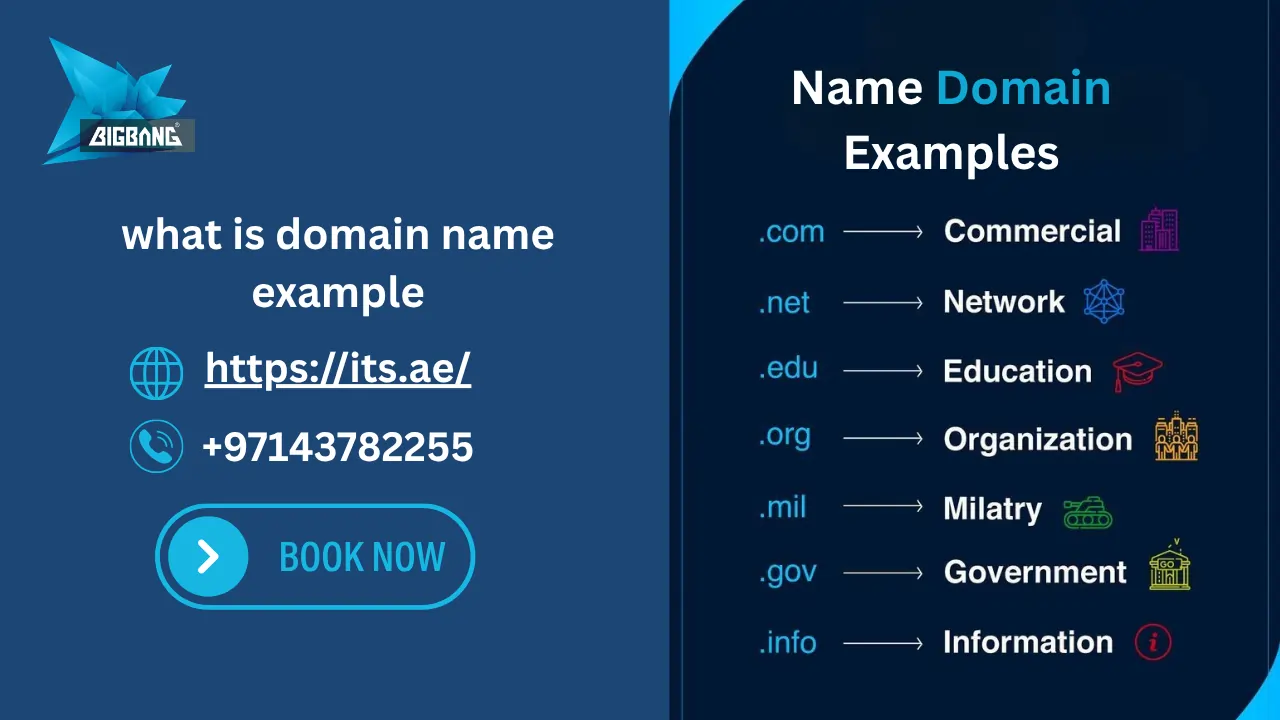
Whether you are a student, a business owner, or a developer, understanding what is domain name example — its meaning, structure, and real-world examples — is the first step to building your online presence. In this guide, we cover everything: from simple domain meaning and website name examples, to how the domain name system works, and how to register a domain name in the UAE.
Quick Answer — Domain Meaning & What Is Domain Name Example?
Domain meaning: A domain name is the unique, human-readable address used to identify and access a website on the internet. For example, its.ae is a domain name — and a website name example that represents BIGBANG ITS FZE online. Instead of typing a complex IP address like 192.168.1.1, users simply type the domain name into their browser. The Domain Name System (DNS) then translates that name into the correct IP address and loads the right website instantly.
In the UAE, businesses register a .ae domain name — the official country-code domain managed by the Telecommunications and Digital Government Regulatory Authority (TDRA) — to build local trust and rank higher in Google.ae search results.
| Type | Example | Use Case |
| UAE Business (.ae) | its.ae | Local UAE company |
| Global Business (.com) | google.com | International brand |
| Education (.edu) | yourschool.edu | University/School |
| Government (.gov) | yourauthority.gov | Government body |

What Is a Domain Name? Domain Meaning Explained
Domain meaning: a domain name is a unique, human-friendly address used to identify and access a website on the internet. It replaces the numeric IP (Internet Protocol) address that computers use to locate each other on a network — making it easy for people to find websites without memorizing long strings of numbers.
Think of it this way: your home has a physical street address that people use to find you. A domain name works exactly the same way — it tells browsers precisely where to find a specific website on the internet.
For example, instead of memorizing a complex IP address like 203.0.113.45, you simply type its.ae into your browser. The Domain Name System (DNS) does all the translation work behind the scenes, instantly connecting you to the right website.
Domain name, web domain, and internet domain all refer to the same thing. These terms are used interchangeably across the industry.
What Is Domain Name Example DNS?
If you are searching for what is domain name example DNS, a simple example is its.ae. The Domain Name System (DNS) stores information about domain names and connects them to the correct IP addresses. When users type a domain name into their browser, DNS automatically finds the corresponding server and loads the website.
A DNS example is its.ae being mapped to an IP address using an A record, which allows browsers to locate the correct server.
How Domain Names Work (DNS Step-by-Step)
When you type a domain name into your browser, a process happens in milliseconds to load the website:
- You type a domain name in your browser (e.g., its.ae)
- Browser sends request to DNS resolver
- Resolver checks root DNS servers
- Then checks TLD server (.ae / .com)
- Returns IP address of hosting server
- Browser loads website instantly
Benefits of Using a Custom Domain Name
- Improves brand recognition
- Builds trust and credibility
- Creates professional email addresses
- Makes your website easier to remember
- Helps establish a unique online identity
Domain Name Examples (Real Life Examples)
- its.ae
- google.com
- yourbrand.ae
- yourschool.edu
These examples show how domain names are used across different industries and extensions.
What Is Website Name Example?
When understanding what is domain name example, it is important to look at real-world website examples like its.ae and google.com.
A website name example is simply a real domain name used to access a website. Here are clear website name examples:
- its.ae — the website name for BIGBANG ITS FZE, a UAE IT solutions provider
- yourbrand.ae — a typical UAE business website name using the .ae extension
- yourbrand.com — a globally recognized website name using the .com extension
- yourschool.edu — a website name example for an educational institution
- yourauthority.gov — a website name for a government body
Every website name example follows the same structure: a readable name (called the second-level domain) combined with an extension (called the top-level domain or TLD). Together they form the complete domain name — the unique address of the website on the internet.
Domain Name vs URL (Key Differences)
| Domain Name | URL |
|---|---|
| its.ae | https://www.its.ae/web-hosting/ |
What Is a Domain Name Example for Students?
If you are learning about domain names for the first time, here is the simplest way to understand it:
A domain name is like a nickname for a phone number. You save your friend’s number under their name in your contacts — you do not dial the full number, you just tap the name. A domain name does the same thing for websites. Instead of a long numeric IP address, you type a short, memorable name, and the system connects you automatically.
Domain name example for students: its.ae is a domain name. It points to BIGBANG ITS FZE’s web hosting server in the UAE, where all the website content is stored and served to visitors when they open the site.
What Is the Domain Name System (DNS)?
The Domain Name System (DNS) is like the internet’s phonebook.
It translates domain names into IP addresses so browsers can load websites.
Without DNS, users would need to remember long numbers instead of simple names like google.com.
The DNS hierarchy starts with root DNS servers, which act as the first step in guiding a request to the correct location before it moves through the rest of the DNS system.
What Is Domain Name Example in Compute?
In computers, a domain name example like google.com is translated by DNS into an IP address so the browser can load the website.
What Is a Domain Name Example?
Here are real-world domain name examples across different categories and extensions:
| Domain Name | What It Represents |
| its.ae | BIGBANG ITS FZE — IT solutions provider in the UAE (.ae ccTLD) |
| yourbusiness.ae | Any UAE-registered business using the official local domain |
| yourbrand.com | A global commercial business or brand (.com gTLD) |
| yourschool.edu | An educational institution or university (.edu sTLD) |
| yourauthority.gov | A government body or public authority (.gov sTLD) |
| yourorg.org | A non-profit organization or association (.org gTLD) |
| yourstartup.tech | A technology company or digital product (.tech new gTLD) |
| yourstore.shop | An e-commerce business or online store (.shop new gTLD) |
All of these domain name examples follow the same format: a readable name followed by an extension. For businesses in the UAE, using a .ae domain name signals local presence, builds credibility with UAE customers, and improves rankings on Google.ae.
Domain Name Example List by Extension
Here is a domain name example list covering the most widely used extensions, grouped by type:
- its.ae — UAE business with the official local domain (.ae ccTLD)
- yourbrand.com — global commercial business or brand (most popular extension worldwide)
- yourschool.edu — educational institution or university
- yourauthority.gov — government website or public body
- yourorg.org — non-profit organization or community group
- yournetwork.net — network or technology company
- yourstore.shop — e-commerce or online retail business
- yourbrand.tech — technology product or digital service
- yourbrand.solutions — IT or professional services firm
- .امارات — Arabic domain for UAE Arabic-language websites (dotEmarat)
What Is a Domain Name Example in Computer? How the Domain Name System Works
When people ask ‘what is a domain name example in computer?’, they are referring to how domain names function inside computer networks. This is where the Domain Name System (DNS) plays its essential role.
What Is the Domain Name System?
The Domain Name System (DNS) is the internet’s phonebook. It is a global, distributed network of servers that translates human-friendly domain names into machine-readable IP addresses — allowing any browser to load the correct website every time, anywhere in the world.
Here is exactly what happens, step by step, when you type a domain name into your browser:
- You type its.ae into your browser’s address bar.
- Your browser sends a query to a DNS resolver: ‘What is the IP address for its.ae?’
- The resolver queries the root DNS servers, then the .ae TLD server administered by TDRA.
- The authoritative name server for its.ae returns the correct IP address of the hosting server.
- Your browser connects directly to that IP address and loads the its.ae website.
This entire process happens in milliseconds — so fast you never notice it. The domain name system is why you can type a simple, memorable domain name and reliably reach the right website every time, without memorizing any numbers.
What Is Domain Name Example in DNS?
In DNS, every domain name is stored as a set of DNS records. The most important is the A record (Address record), which maps a domain name to its IPv4 address.
What is domain name example in DNS: its.ae is stored in the DNS as an A record. When a browser queries the DNS for its.ae, the DNS resolver returns the IP address associated with that A record — for example, 203.0.113.45 — and the browser connects to the hosting server at that address to load the website.
Other DNS record types include MX records (for email routing), CNAME records (for aliases like www), and TXT records (for domain verification and security settings such as SPF and DKIM).
Is a Domain Name the Same as a URL?
A domain name is not the same as a URL. A domain name is only the website address (like its.ae), while a URL includes the full path such as https://www.its.ae/web-hosting/
Parts of a Domain Name: Structure Explained
Every domain name has a clear, defined structure. Understanding these parts helps you choose, register, and manage domain names correctly.
Let’s use https://www.its.ae/web-hosting/ as our example:
| Part | Example & Explanation |
| Protocol | https:// — Secure connection using SSL/TLS encryption (HTTPS) |
| Subdomain | www — An optional prefix; can point to different sections of the site |
| Second-Level Domain (SLD) | its — The unique, registerable brand name part of the domain |
| Top-Level Domain (TLD) | .ae — The extension; UAE’s official country-code top-level domain |
| Path / Slug | /web-hosting/ — A specific page within the website |
Types of Domain Names Explained
There are different types of domain extensions used worldwide:
gTLD (Generic Domains)
.com – .net – .org
ccTLD (Country Domains)
.ae – .sa – .uk
sTLD (Sponsored Domains)
.gov – .edu
New gTLDs
.shop – .tech – .online
What Makes a Good Domain Name?
- Short
- Easy to spell
- Easy to remember
- Brandable
- Relevant to your business
- Free from trademark issues
Domain Name vs URL (Clear Comparison)
A domain name is only the website address like its.ae, while a URL includes the full path to a specific page.
Example:
Domain name: its.ae — URL: https://www.its.ae/web-hosting/
A URL includes:
- Protocol (https://)
- Domain name (its.ae)
- Path (/web-hosting/)
Detailed Breakdown of a Domain Structure
A domain name is made up of several parts:
- Protocol → https:// (secure connection)
- Subdomain → www (optional prefix)
- Second-Level Domain (SLD) → the brand name like “its”
- Top-Level Domain (TLD) → .ae / .com
- Path → specific page like /blog or /contact
Top-Level Domain (TLD)
The TLD is the extension at the very end of a domain name — the part after the last dot. Common TLD examples include .com, .ae, .org, .net, .gov, and .edu. In the UAE, the most strategically important TLD is .ae — the official country-code TLD administered by TDRA’s .aeDA (ae Domain Administration).
Second-Level Domain (SLD)
The SLD is the main, customizable part of your domain name — what most people think of as ‘the name itself’. In its.ae, the SLD is ‘its’. This is the part you choose when registering a domain. It identifies your brand and should be short, memorable, and directly relevant to your business.
Subdomain
A subdomain is an optional prefix added before the SLD. The most common is www (e.g., www.its.ae). Subdomains can also separate different website sections, such as blog.its.ae or support.its.ae. Subdomains are free to create once you own the main domain name.
Types of Domain Name Extensions
Choosing the right domain name extension is as important as choosing the name itself. Here is a breakdown of all the main types:
Generic Top-Level Domains (gTLDs)
Generic TLDs are the most widely used domain extensions, open for anyone to register worldwide:
- .com — commercial; the most popular TLD globally, suitable for any type of business
- .net — originally for network providers; now widely used across industries
- .org — primarily for non-profit organizations and community groups
- .info — for informational or reference websites
Country-Code Top-Level Domains (ccTLDs)
ccTLDs are two-letter extensions representing specific countries. For UAE and GCC businesses:
- .ae — United Arab Emirates; the official ccTLD managed by TDRA
- .sa — Kingdom of Saudi Arabia
- .qa — Qatar
- .kw — Kuwait
- .bh — Bahrain
For UAE businesses, .ae is the most strategically important ccTLD. It is managed by the .ae Domain Administration (.aeDA), a division of TDRA, the UAE’s federal telecommunications and digital government regulator.
New Generic Top-Level Domains (new gTLDs)
Hundreds of industry-specific extensions now provide more descriptive and creative domain name options:
- .tech — technology companies and digital products
- .shop / .store — e-commerce and online retail businesses
- .solutions — IT services and professional consulting firms
- .agency — marketing, creative, and communications agencies
If you’re ready to start, here’s how to register domains step by step.
Internationalized Domain Names (IDNs) — Arabic Domains
IDNs allow domain names to be written in non-Latin scripts. For UAE businesses, this means registering a fully Arabic domain under .امارات (dotEmarat) — the official Arabic ccTLD for the UAE. This is particularly valuable for businesses targeting Arabic-speaking audiences across the UAE and GCC region.
What Is a Domain in Website? The UAE .ae Domain Explained
When people ask ‘what is domain in website example?’, they want to understand how the domain name connects to the actual website content they see in their browser.
The domain name is not the website itself — it is the address that points to the website. The actual website content (pages, images, files, code) is stored on a web hosting server. The domain name tells browsers which server to connect to in order to load that content.
Website name example: its.ae is the domain name — the website name for BIGBANG ITS FZE. It points to the BIGBANG ITS FZE web hosting server in the UAE, where all the website files are stored and served to visitors.
The .ae Domain Name in the UAE
The .ae domain is the official country-code top-level domain (ccTLD) for the United Arab Emirates, administered by TDRA through the .ae Domain Administration (.aeDA). It is the most trusted and recognized domain extension for businesses operating in the UAE.
Here is why UAE businesses should register a .ae domain name:
- Signals genuine UAE presence to customers, partners, and search engines
- Ranks higher on Google.ae and UAE-localized search results
- Builds trust with UAE government portals, enterprise clients, and financial institutions
- Protects your brand from being registered by a third party in the UAE market
- Recognized as more credible than a generic extension by UAE-based consumers and businesses
- Required for official government and certain regulated industry websites in the UAE
You can also register .امارات (dotEmarat) — the Arabic ccTLD for the UAE — ideal for Arabic-language websites targeting UAE and GCC audiences.
What Is the Difference Between a Domain Name and a URL?
This is one of the most frequently asked questions about domain names. Here is the clear answer:
| Term | Example |
| Domain Name | its.ae |
| Full URL (Uniform Resource Locator) | https://www.its.ae/web-hosting/ |
A domain name is just one part of a full URL. A complete URL also includes:
- The protocol — https:// (the secure method used to communicate between browser and server)
- The subdomain — www (an optional prefix; not always present in every URL)
- The domain name — its.ae (the unique identifier of the website)
- The path — /web-hosting/ (the specific page or section on the site being accessed)
So: every domain name is part of a URL, but a URL contains more information than just the domain name. The domain name identifies the website; the full URL tells the browser exactly which page on that website to load.
Domain Name vs Web Hosting: What Is the Difference?
Many beginners confuse domain names with web hosting. Understanding the difference is essential before building your online presence.
| What It Is | |
| Domain Name | The address of your website (e.g., its.ae). Tells browsers where to find your site on the internet. |
| Web Hosting | The server where your website files are physically stored and served to visitors when they load your site. |
The simplest analogy: if your domain name is your street address, then web hosting is the building at that address. Without an address, nobody can find you. Without a building, there is nothing for visitors to see when they arrive.
BIGBANG ITS FZE offers both domain name registration and web hosting services in the UAE — so you can manage your complete online presence from a single trusted provider, with dedicated support based in the UAE.
Domain Security: WHOIS, Privacy & SSL
- WHOIS lookup: Shows domain ownership details publicly and allows users to check domain owner information, registration dates, and domain status
- Domain privacy protection: Hides personal information from public records
- SSL certificate: Secures your website with HTTPS
- DNS protection: Prevents unauthorized changes or hijacking
Domain Name vs Registrar vs Registry
| Term | Meaning |
| Registry | The organization that manages domain extensions (like ICANN or TDRA for .ae) |
| Registrar | The company you buy the domain from (like GoDaddy or BIGBANG ITS FZE) |
| Registrant | The person or business that owns the domain |
Domain Name vs Website
| Domain Name | Website |
|---|---|
| Address of the website | Actual content and pages |
| Example: its.ae | The pages displayed when visitors open its.ae |
Domain Security and Protection
- WHOIS privacy protection
- SSL certificates (HTTPS)
- DNS security
- Domain hijacking prevention
Domain security ensures your website cannot be taken over or misused by unauthorized users.
What Is Domain Name Registration?
Domain name registration is the process of reserving a specific domain name for your exclusive use through an officially accredited domain registrar. You can learn the full steps in our guide on how to purchase a website domain.
When you register a domain name, you are not purchasing it permanently — you are licensing the right to use it for a defined period, typically 1 to 5 years. You must renew the registration before it expires, or the domain name may become available for others to claim.
If you already own a domain and want to move it to a different registrar or hosting provider, read our guide on How to Transfer Your Domain to Another Host to complete the transfer safely without downtime.
How to Register a Domain Name in the UAE
- Choose your domain name — keep it short, memorable, and directly relevant to your business or brand.
- Check availability — confirm that your chosen name has not already been registered by another party. Learn more about how to see if a domain is available.
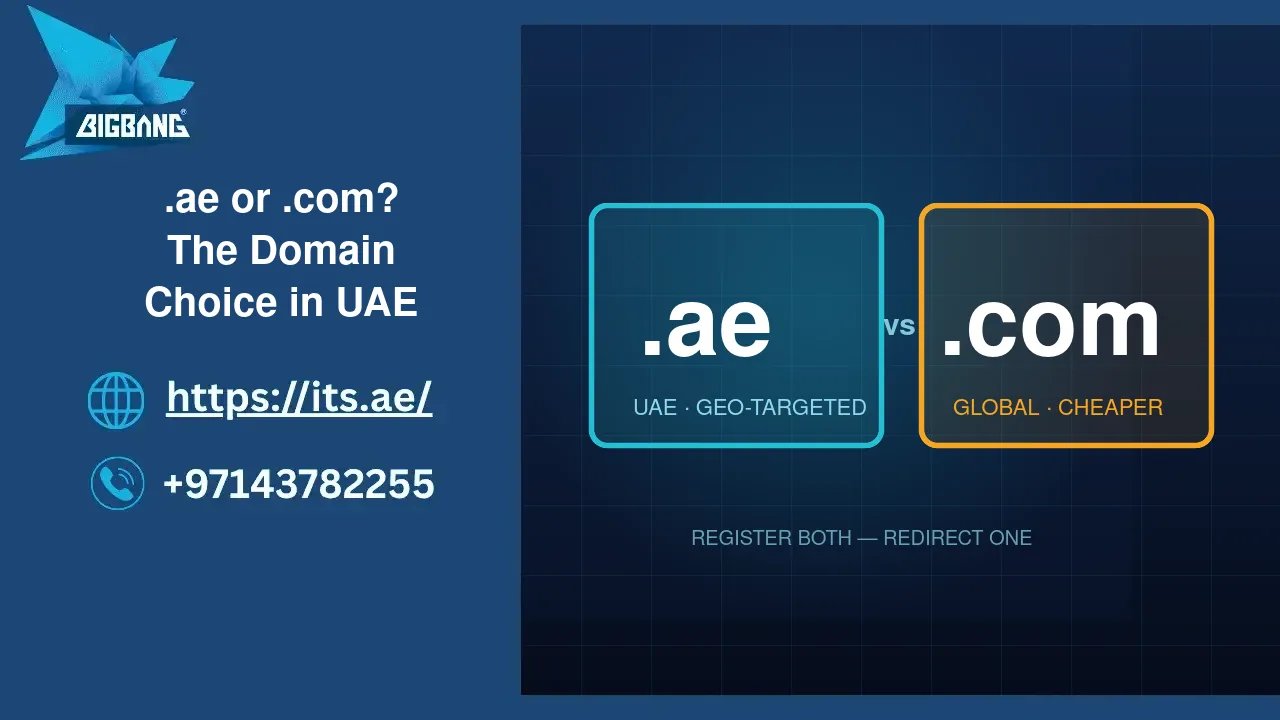
- Choose the right extension — select .ae for UAE-local credibility or .com for global reach. Consider registering both to protect your brand. For additional security, businesses can also enable Full Domain Protection after registration to help prevent unauthorized transfers, DNS hijacking, and other domain-related threats. If you’re unfamiliar with this feature, learn more about What Does Full Domain Protection Mean.
- Prepare documentation — for .ae domain registration, a valid UAE trade licence or equivalent business registration document is typically required.
- Register through an accredited registrar — only use registrars officially accredited by TDRA for .ae domain registration.
- Pay and confirm ownership — .ae domain name registration in the UAE typically starts from AED 125–149 per year. Businesses building websites with WordPress should also compare the WordPress Domain Name Price and renewal costs to better estimate their total website setup budget.
Before registering your domain, you should first check availability to ensure your desired name is not already taken. Learn more about how to see if a domain is available.
BIGBANG ITS FZE has been providing domain name registration, secure web hosting, and complete IT infrastructure solutions to businesses across the UAE since 2003. As an established UAE IT solutions provider, we help you register the right domain name and build a reliable, professional online presence from day one.
Common Challenges When Choosing a Domain Name
- Finding an available name
- Trademark conflicts
- Choosing the right extension
- Avoiding confusing spellings
- Balancing branding and keywords
How to Choose the Right Domain Name for Your Business in the UAE
Choosing your domain name is one of the most important business decisions you will make for your online presence. It affects your brand identity, search engine rankings, and how easily customers find and remember you.
- Keep it short — under 15 characters where possible. Shorter domain names are easier to type, share, and remember.
- Make it brandable — your domain name should clearly reflect your business name or core service.
- Avoid numbers and hyphens — they create confusion when sharing verbally and reduce brand clarity.
- Use the right extension — .ae for UAE-local credibility and Google.ae visibility; .com for a global audience.
- Check for trademark conflicts — make sure your chosen name does not infringe on any registered trademarks.
- Act quickly — domain names are registered on a first-come, first-served basis. Once you identify the right name, register it immediately.
Choosing the Best Site to Buy Domain Names is equally important, as registrars differ in renewal costs, security features, DNS management tools, and customer support. Selecting the right provider can help you protect your domain and simplify long-term management.
Tips Specific to UAE Businesses
- Register both .ae and .com versions of your domain to protect your brand across regions and prevent third-party registration.
- Use .ae as your primary domain to signal UAE presence to both customers and search engines on Google.ae.
- If your target audience is primarily Arabic-speaking, consider registering a .امارات (dotEmarat) domain alongside your .ae domain.
- Only register .ae domains through TDRA-accredited registrars to ensure full legal compliance and verified ownership.
Why Domain Names Matter for Your Business
A domain name is far more than a website address — it is a core business asset that shapes your brand, your credibility, and your long-term digital growth.
- Branding & Identity — Your domain name is often the first online impression your business makes. A professional, branded domain builds instant credibility and recognition among customers and partners.
- Trust & Professionalism — A custom domain email (e.g., info@its.ae) communicates significantly more trust than a generic free email address. UAE enterprise clients and government entities expect to communicate through branded domains.
- SEO & Search Visibility — A well-chosen domain name improves your visibility in search results. A .ae domain specifically helps rank in UAE-localized searches on Google.ae, giving your business a local competitive edge.
- Professional Business Email — Your domain name powers your business email, which is essential for professional client communication, marketing campaigns, and brand consistency.
- Long-Term Digital Asset — An established domain name grows in value alongside your business and online reputation. It is an asset you build, own, and leverage for years.
- 24/7 Online Presence — Your website, accessible via your domain name, represents your business around the clock — serving customers, generating leads, and building trust even when your office is closed.
What Is a Premium Domain Name?
- cars.com
- hotels.com
- insurance.com
Why Choose BIGBANG ITS FZE for Domain Registration in the UAE?
Choosing the right registrar is just as important as choosing the right domain name. BIGBANG ITS FZE has been supporting businesses across the UAE since 2003 with domain registration, web hosting, business email solutions, cloud services, and IT infrastructure support.
When you register your domain with BIGBANG ITS FZE, you benefit from:
- Fast .ae domain registration and renewal
- Secure DNS management and domain protection
- Reliable UAE-based technical support
- Professional business email solutions
- Web hosting packages for businesses of all sizes
- A single provider for your complete online presence
Domain Name Lifecycle Explained
- Registration
- Active period
- Renewal
- Expiration
- Grace period
- Deletion
How to Register a Domain Name (Step-by-Step)?
- Choose a domain name
- Check availability
- Select extension (.com / .ae)
- Choose registrar
- Complete registration
- Connect hosting
Domain Lifecycle Explained
A domain name goes through several stages:
- Registration → You purchase the domain
- Active period → The domain is live and working
- Renewal → You extend ownership before expiry
- Expiration → The domain stops working
- Grace period → You can still renew it
- Deletion → The domain becomes available for others
Ready to Register a .ae Domain Name for Your Business?
Whether you need a .ae domain, business email, web hosting, or a complete website solution, BIGBANG ITS provides everything you need to establish a professional online presence in the UAE. Contact our team today to check domain availability and secure your preferred domain before someone else registers it.
Common Mistakes When Choosing a Domain Name
- Choosing a long or complicated name
- Using numbers or hyphens
- Copying competitor brands
- Picking a hard-to-spell name
- Ignoring trademark checks
- Choosing the wrong extension (.com vs .ae mismatch)
Key Takeaways
- A domain name is your website address
- DNS translates domain names into IP addresses
- Hosting stores website files
- Domain registration is not permanent ownership
- .ae domains improve UAE SEO and trust
20 Real Domain Name Examples
| Domain Name | Category |
|---|---|
| google.com | Search Engine |
| amazon.com | Ecommerce |
| wikipedia.org | Encyclopedia |
| facebook.com | Social Media |
| linkedin.com | Professional Network |
| youtube.com | Video Platform |
| github.com | Developer Platform |
| harvard.edu | Education |
| nasa.gov | Government |
| bbc.co.uk | News |
| its.ae | UAE Business |
| emirates.com | Airline |
| wordpress.org | CMS |
| shopify.com | E-commerce Platform |
| reddit.com | Community Forum |
FAQs
What is an example of a domain name?
A domain name example is its.ae, which is the website address of BIGBANG ITS FZE. Other examples include google.com, wikipedia.org, and yourschool.edu. A domain name helps users access a website without having to remember a numerical IP address.
How do I write my domain name?
To write your domain name, use your chosen website name followed by a domain extension such as .ae, .com, or .org. For example, a UAE business might use yourbusiness.ae. A good domain name should be short, memorable, and relevant to your brand or services.
What is my domain name?
Your domain name is the web address people use to visit your website. For example, if your website URL is https://www.yourbusiness.ae, your domain name is yourbusiness.ae. It serves as your unique online identity and helps customers find your website easily.
How do I find my domain name?
You can find your domain name by checking the address bar of your website in a web browser. It is the main part of the web address, such as its.ae in https://www.its.ae. If you are unsure, you can also check your domain registration records or your hosting account dashboard.
Talk to us directly — we usually reply within minutes during business hours.