Whether you’re launching a business, building a website, or protecting your brand online, the very first step is to know how to see if a domain is available. The domain name you choose is your digital identity — and in the UAE, where local credibility matters more than ever, securing the right name before someone else does is critical.
In this complete guide, you’ll learn every method to check domain availability — from using a registrar’s search tool to running a WHOIS lookup and checking .ae names through the UAE’s official aeDA system. We’ll also cover what to do when your preferred domain is already taken, and how to register it in minutes once you’ve found the right name.
This guide is designed for beginners and businesses who want to quickly check and register a domain name before it gets taken.
Quick Answer — How to See If a Domain Is AvailableTo see if a domain is available: go to a domain registrar’s search tool, type your desired name (e.g. mybusiness.ae), and press Search. If it shows Available — register it immediately. If it’s taken — use a WHOIS lookup to find the owner and expiry date, or try an alternative extension like .ae, .net, or .co. For UAE .ae domains specifically, check through the official aeDA WHOIS portal managed by the TDRA. The fastest way to check if a domain is available is using a domain registrar search tool, which gives instant results in seconds. |
How to See If a Domain Is Available (5 Methods)
- Open a domain registrar search tool.
- Enter your desired domain name (for example, mybusiness.ae).
- Check whether the domain is listed as Available or Taken.
- Use a WHOIS lookup to verify ownership and registration details.
- Register the domain immediately if it is available.

What Does It Mean for a Domain to Be Available?
A domain is available when it has not been registered by anyone — or when a previous registration has expired and not been renewed. But not every search result means the same thing.
When you run a domain availability check, you’ll see one of four possible statuses:
- Available: The domain is free to register right now. You can purchase it immediately through an accredited registrar.
- Taken (Registered): Someone already owns this domain. You’ll need to contact the owner, wait for expiry, or choose an alternative name or extension.
- Premium: The domain is technically available but listed at a higher price due to its short length, keyword value, or past brand recognition.
- Reserved: The domain is blocked from public registration — reserved by ICANN, a government body, or under aeDA’s Reserved Names Policy (for .ae domains) regulated by the TDRA.
Understanding which category your desired domain falls into tells you exactly what your next step should be — whether that’s registering it now, negotiating a purchase, or simply choosing a different name.
Before checking availability, it helps to understand what is domain name example and how domain names are structured in real-world websites.
Domain Availability vs Domain Registration
| Term | Meaning |
|---|---|
| Domain Available | You can register it now |
| Domain Taken | Already owned by someone |
| Premium Domain | Available but expensive |
| Expired Domain | May become available soon |
How to Check If a Domain Is Available — 5 Methods
There are five reliable ways to check if a domain is available — ranging from instant registrar tools to the UAE’s official domain registry. Each method suits a different situation, and together they give you a complete picture of any domain’s status.
Method 1 — Use a Domain Registrar Search Tool (Fastest)
The simplest and fastest way to check if a domain is available for purchase is through a domain registrar’s built-in search tool. These tools query the domain registry in real time and show you results within seconds.
Follow these steps:
- Go to a trusted UAE domain registrar — such as its.ae.
- If you’re still comparing the Best Site to Buy Domain Names, evaluate factors such as domain pricing, renewal costs, DNS management features, security options, and local customer support before making your final choice.
- Type your desired domain name in the search bar (for example: mybusiness.ae or mybusiness.com).
- Click Search or press Enter.
- The tool will instantly display whether the domain is available, taken, or listed as premium.
- If available — add it to your cart and complete registration in minutes.
- If taken — the tool will usually suggest alternative names or extensions you can register instead.
Tip: Always check multiple extensions at once. If mybusiness.com is taken, mybusiness.ae may still be free — and for UAE businesses, the .ae extension carries stronger local trust and better SEO signals on Google UAE.
Domain pricing can vary depending on the extension and registrar. That’s why it’s useful to understand the overall WordPress Domain Name Price before finalizing your decision.
its.ae’s domain name checker gives you instant results the moment you hit search — no waiting, no registration required just to check.
Method 2 — How to Check If a Domain Is Available Free Using WHOIS
WHOIS is a publicly available database that stores registration details for every domain name on the internet and allows users to Check Domain Owner information, verify registration dates, view expiry records, and monitor domain status.
A WHOIS result typically includes:
- Registrar: The company where the domain is registered.
- Registrant: The owner’s name or organization.
- Registration Date: When the domain was first registered.
- Expiry Date: When the registration lapses — critical if you want to monitor a domain and register it after expiry.
- Domain Status: Active, locked, expired, or pending deletion.
- Name Servers: The DNS servers the domain is currently pointing to.
To use WHOIS, visit any WHOIS lookup tool, enter the full domain name including its extension (e.g. yourbrand.ae), and click Search. If the result returns “No record found,” the domain is available.
Note: Due to UAE data privacy regulations and aeDA policy, some .ae WHOIS results show registration details as “REDACTED FOR PRIVACY” — this is intentional under the TDRA’s public disclosure framework.
Method 3 — Check .ae Domain Availability via aeDA (UAE Official WHOIS)
For UAE businesses searching for a .ae domain, the most accurate domain registration check is through the official aeDA WHOIS service — operated by the Telecommunications and Digital Government Regulatory Authority (TDRA).
Unlike third-party global WHOIS tools, aeDA queries the official .ae registry directly — giving you the most current and authoritative availability result for any .ae domain name.
Steps to check via aeDA:
- Visit the official TDRA/aeDA domain availability portal (tdra.gov.ae).
- Enter your desired .ae domain name in the search field.
- If available, the portal will display a list of TDRA-accredited registrars where you can register it.
- If taken, you will see the current registration status under aeDA’s public disclosure policy.
Important: .ae domains can be registered for 1 to 5 years. The domain lifecycle — from registration through renewal to deletion — follows defined aeDA rules. Always renew before expiry to avoid losing your domain.
Method 4 — How to See If a Domain Is Taken by Typing It in Your Browser
One quick — though not fully reliable — way to see if a domain is taken is to type it directly into your browser’s address bar and observe what loads:
- A live website loads: The domain is taken and actively in use.
- A parking page or “For Sale” page appears: The domain is registered but unused. The owner may be open to selling.
- “Site not found” or connection error: The domain might be available — but this is not conclusive. Some registered domains have no DNS configured and will show the same error.
Use this method only as a quick first indicator. Always confirm with a proper registrar search tool or WHOIS lookup before making any decisions about your brand name.
Method 5 — Use a Free Domain Name Search Tool for Bulk Checking
If you haven’t settled on a specific extension yet, a free domain name search tool that checks multiple TLDs simultaneously is the most efficient option.
These tools search availability across .ae, .com, .net, .org, .co, and hundreds of other extensions in a single query — showing you all options in one results page. For UAE businesses, it’s especially useful to check .ae and .com availability together, since many brands register both and redirect one to the other for brand protection.
Domain Availability Tools You Can Use
| Tool | Best For |
|---|---|
| Registrar Search Tool | Instant results |
| WHOIS Lookup | Ownership info |
| aeDA Portal | UAE domains |
| Bulk Search Tools | Multiple extensions |
its.ae’s domain name checker gives you instant results the moment you hit search — no waiting, no registration required just to check.
What to Do If the Domain Is Already Taken?
- Check WHOIS for Owner Info
- Wait for Expiry
- Use Domain Backorder
- Contact the Owner
Domain Availability vs Domain Registration
- Checking availability means seeing if the domain is free to register
- Registration means actually buying and owning the domain
- A domain can appear inactive but still be registered
Comparison of Domain Availability Checking Methods
| Method | Speed | Accuracy | Best For |
| Registrar Search Tool | Very Fast | High | Quick availability checks |
| WHOIS Lookup | Fast | High | Checking ownership and expiry details |
| aeDA WHOIS | Fast | Highest for .ae domains | UAE domain verification |
| Browser Check | Instant | Low | Basic indication only |
| Bulk Domain Search Tool | Fast | High | Checking multiple extensions at once |
Comparison: Best Way to Check Domain Availability
- Registrar Tool → fastest for instant results
- WHOIS → best for ownership details
- aeDA → best for UAE (.ae domains)
How to See If a Domain Is Available for Purchase When It’s Already Taken
A taken domain is not always out of reach. Here is how to see if a domain is available for purchase even after it shows as registered:
Use a Domain Expiry Checker
A domain expiry checker — built into most WHOIS lookup tools — shows you when a registered domain is due to expire. If the owner has not set up auto-renewal, the domain enters a grace period after expiry before becoming publicly available.
You can place a domain backorder through your registrar — a service that automatically attempts to register the domain on your behalf the moment it drops. BIGBANG ITS FZE offers domain backorder and consultation services for UAE businesses seeking specific names.
Check Domain Owner via WHOIS
If the domain is actively used, checking the domain owner via WHOIS gives you the registrant’s contact information (where not privacy-protected). This allows you to reach out directly and negotiate a private purchase.
Many parked or unused domains are actively listed for sale. A WHOIS lookup often reveals a contact email or a domain marketplace listing where you can initiate a purchase inquiry.
Try a Domain Broker or Backorder Service
If direct contact fails, domain broker services can negotiate the acquisition on your behalf — handling valuation, negotiation, and secure transfer. For premium .ae domains, the BIGBANG ITS FZE team can provide guidance on acquisition options and help you navigate the aeDA transfer process.
How to Know If a Domain Is Available in the UAE — .ae Domain Guide
Searching for a domain in the UAE requires knowing how to know if a domain is available within the local namespace — not just globally. The UAE operates its own country-code top-level domain (ccTLD), .ae, managed by the aeDA under TDRA regulation.
Why .ae Domains Matter for UAE Businesses
A .ae domain immediately signals to customers, partners, and search engines that your business is locally established and operating within the UAE. With over 350,000 .ae domains already active as of 2026, demand is high — yet availability remains significantly better than the saturated .com market.
Key advantages of a .ae domain:
- Builds trust and credibility with UAE-based customers and government entities
- Sends a strong local SEO signal to Google UAE — supporting higher rankings in UAE search results
- Required or preferred by many UAE enterprise clients and regulatory bodies
- No mandatory local company requirement for first-level .ae registrations
- Eligible for Arabic internationalized domain names (.امارات) for Arabic-language targeting
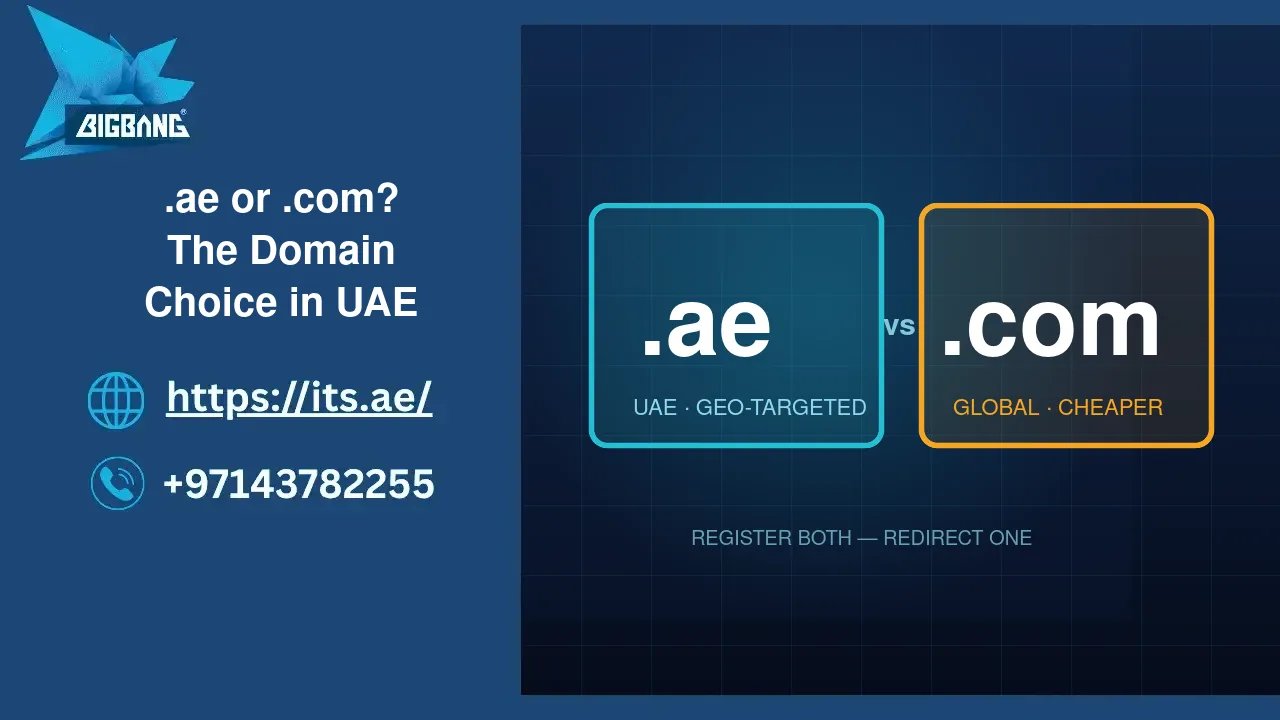
.ae vs .com — Which Should You Register?
- .com: Best for businesses targeting a global audience. However, short and memorable .com names are increasingly taken.
- .ae: Best for UAE and GCC market focus. Stronger local SEO, higher UAE customer trust, better name availability.
- .co.ae: Reserved for local commercial companies whose domain matches their registered trade name.
The recommended approach for most UAE businesses: register .ae as your primary domain and secure .com as a protective registration that redirects to your main site.
Domain Registration Check via aeDA — Most Accurate for UAE
For .ae domains, aeDA’s WHOIS portal is the single most authoritative source. Note that under aeDA’s public disclosure policy, registration and expiry dates are not shown publicly for .ae domains — this is a deliberate privacy decision by the UAE regulator. To access full lifecycle details for a .ae domain you own, query through your accredited registrar account.
BIGBANG ITS FZE has been a trusted UAE IT solutions provider since 2003, offering domain registration, web hosting, VPS, Cloud PBX, and SSL certificates to businesses across the Emirates. Register your .ae domain at its.ae — a TDRA-accredited registrar with over two decades of UAE presence.
How to See If a Website Is Available — Domain Availability vs Website Availability
Many users search for how to see if a website is available when what they really mean is: does a domain name have an active website on it, or is the name free to register? These are two different questions — and the answer to each changes your next step.
Is the Domain Registered?
Use a domain registrar search tool or WHOIS lookup to check if a domain is available. This tells you whether the domain name itself is registered — regardless of whether a website is live at that address.
Is There an Active Website at That Domain?
Type the domain directly into your browser. If a live website loads, the domain is registered and in active use. If you get a parking page or error, the domain may be registered but unused — or in some cases, not registered at all. Always confirm with a WHOIS or registrar check.
Why This Distinction Matters
A domain can be registered without having any website on it — owners sometimes register names for future use, brand protection, or investment. This means a domain that gives a browser error is not necessarily available. Always run a proper domain availability check before assuming a name is free to register.
How to See If a Domain Is Taken — Reading the Results Correctly
Knowing how to see if a domain is taken goes beyond a simple Available / Not Available result. Here is how to read each status correctly:
- “This domain is available” — Register it immediately. Popular names can be claimed by others within hours.
- “This domain is taken” — The domain is registered. Use WHOIS to find the owner, registration date, and expiry. It may be available for purchase or may expire soon.
- “This is a premium domain” — Available but at a higher price. Evaluate whether the brand value justifies the premium cost.
- “This domain is pending deletion” — The previous owner did not renew. It is in a deletion queue and may become available soon. Place a backorder to catch it.
- “Redemption period” — The domain expired and is in a 30-day redemption window where only the original owner can restore it. After this, it enters the deletion queue.
Understanding these statuses helps you act quickly and correctly — whether that means registering now, placing a backorder, or choosing an alternative.
How to Know If a Domain Is Available or Not — Common Mistakes to Avoid
When trying to know if a domain is available or not — or simply figuring out how to see if a domain name is available before you commit to a brand — these are the most common mistakes that lead to wasted time or missed opportunities:
- Relying on browser checks only: Typing a URL in your browser and getting an error does not confirm the domain is available. Always verify with a registrar tool or WHOIS.
- Checking only one extension: A domain may be taken as .com but still available as .ae — or vice versa. Always check both for UAE businesses.
- Not acting quickly on available names: Domain names are registered constantly. If you find an available name you want, register it the same day — do not wait.
- Ignoring trademark conflicts: A domain can be technically available but legally problematic if it conflicts with a registered trademark. Always run a trademark check alongside your domain search.
- Forgetting to check .ae with aeDA: Global WHOIS tools may not have the most current data for .ae domains. Always verify .ae availability through the official aeDA portal for a conclusive result.
Tips for Choosing the Right Domain Name Before You Search
Before you run your free domain name search, arriving with a strong shortlist saves time and increases the chance of finding an available name you’ll be happy with long-term:
- Keep it short: Shorter names are easier to remember, type, and share. Aim for under 15 characters where possible.
- Include a relevant keyword: A keyword tied to your service (e.g. hosting, tech, legal) adds SEO value and helps customers immediately understand what you do.
- Think local for UAE: Names with UAE-relevant terms or a .ae extension immediately communicate local presence to your target market.
- Focus on .ae and .com first: For UAE businesses, these are the two most recognized and trusted extensions. Check both before exploring alternatives.
- Avoid hyphens and numbers: They are hard to communicate verbally and reduce professional perception.
- Future-proof your name: Choose a name that can grow with your business — avoid names too specific to a single product, city, or campaign.
- Register multiple extensions: Once you settle on a name, secure both .ae and .com to protect your brand from cybersquatters and competitors.
- Check trademarks: Verify the name is legally safe using WIPO’s trademark database or the UAE’s relevant trademark registry before investing in branding.
Once you’ve found an available domain name, it’s important to compare the Domain Name and Hosting Price to understand the total cost of launching and maintaining your website.
How to Register Your Domain After Confirming It Is Available
Once you’ve confirmed how to see if a domain is available and found the right name, the registration process is fast and straightforward. If you’re new to domain registration, you can read our guide on how to purchase a website domain before completing the steps below.
- Run a domain availability check on its.ae to confirm your chosen name is free.
- Select your preferred extension — .ae, .com, or both for maximum brand protection.
- Choose your registration period: 1 to 5 years for .ae domains, up to 10 years for .com.
- Add Domain Privacy Protection — this masks your personal WHOIS details, protecting you from spam and identity risks. Learn more about What Does Full Domain Protection Mean.
- Enable Auto-Renewal so your domain never accidentally expires.
- Add an SSL certificate for your new domain to secure your website from day one.
- Complete checkout and receive your domain registration confirmation by email.
- Connect your domain to your hosting or DNS provider to point it to your website.
Pro Tip: Registering your domain for multiple years can help prevent accidental expiration, reduce administrative overhead, and ensure long-term brand continuity.
BIGBANG ITS FZE has provided domain registration and complete IT solutions to UAE businesses since 2003. Visit its.ae to check domain availability, register your .ae domain, and get your business online with a locally trusted provider that has served the Emirates for over 20 years.
Start Your Domain Search Today
Now that you know exactly how to see if a domain is available — from registrar tools and WHOIS lookups to the UAE’s official aeDA checker — you have everything you need to find and secure the right name for your business.
Whether you need to check if a domain is available for purchase, see if a domain is taken, or know if a domain is available or not before committing to a brand identity — the process takes less than a minute. The only risk is waiting too long.
Check your domain availability now at its.ae — UAE’s trusted domain registrar and IT solutions provider since 2003.
Best Tips for Choosing a Domain Name
- Keep it short and simple
- Prefer .com or .ae
- Avoid numbers and hyphens
- Make it brandable
- Check trademark availability
FAQs
How can I check if a domain is available?
This is one of the easiest ways to check domain availability. Simply use a domain registrar search tool, enter your desired domain name, and review the result. You can also use WHOIS lookup services or the official aeDA checker for .ae domains.
How to check domain name availability for free?
You can check domain name availability for free using registrar search tools, WHOIS databases, and the official aeDA WHOIS service for .ae domains. These tools provide instant results without requiring payment.
How to check if a domain name is active?
To check if a domain name is active, enter it into your browser or perform a WHOIS lookup. An active domain may have a live website, active DNS records, and a valid registration status.
Can I buy a domain that is already taken?
Yes. In some cases, you can purchase a registered domain directly from the owner, use a domain broker, or place a backorder if the domain becomes available in the future.
How do I check if a domain already exists?
To check if a domain already exists, run a WHOIS lookup or use a registrar search tool. If the domain shows as “Taken” or “Registered,” it already exists and is owned by someone. You can also type the domain directly into your browser — if a live website loads, the domain exists and is actively in use.
Talk to us directly — we usually reply within minutes during business hours.