Every business site needs HTTPS, every browser now shames the sites that lack it, and yet SSL remains one of the most oversold products in hosting. Companies get talked into a certificate costing hundreds of dirhams a year for a brochure website, or told that an expensive certificate makes their site “more secure” than a free one. Neither is true.
This guide explains what a certificate actually does, what the types genuinely differ on, when paying is justified and when it is not, and the handful of configuration mistakes that leave a site with a valid certificate and a security warning anyway.
Quick Answer
An SSL/TLS certificate does two things: it encrypts traffic between the visitor and your server, and it proves the site is served by whoever controls the domain. For most business websites a free Domain Validated certificate — from Let’s Encrypt, included with any decent hosting — provides exactly the same encryption strength as the most expensive certificate available. What money buys is a stronger identity check, a warranty, and support, none of which most sites need. Pay for a certificate when you have a genuine reason: an Organisation or Extended Validation certificate to display a verified company identity, or a wildcard certificate to cover many subdomains at once.
What a Certificate Actually Does
Two separate jobs, routinely conflated.
Encryption. Without it, everything between the visitor and your server travels in readable form — form submissions, login details, whatever anyone types. On shared Wi-Fi that is trivially interceptable. HTTPS makes it unreadable in transit.
Identity. The certificate is issued by a certificate authority that browsers trust, and it asserts that the server presenting it controls the domain. This is what stops someone impersonating your site with a lookalike server.
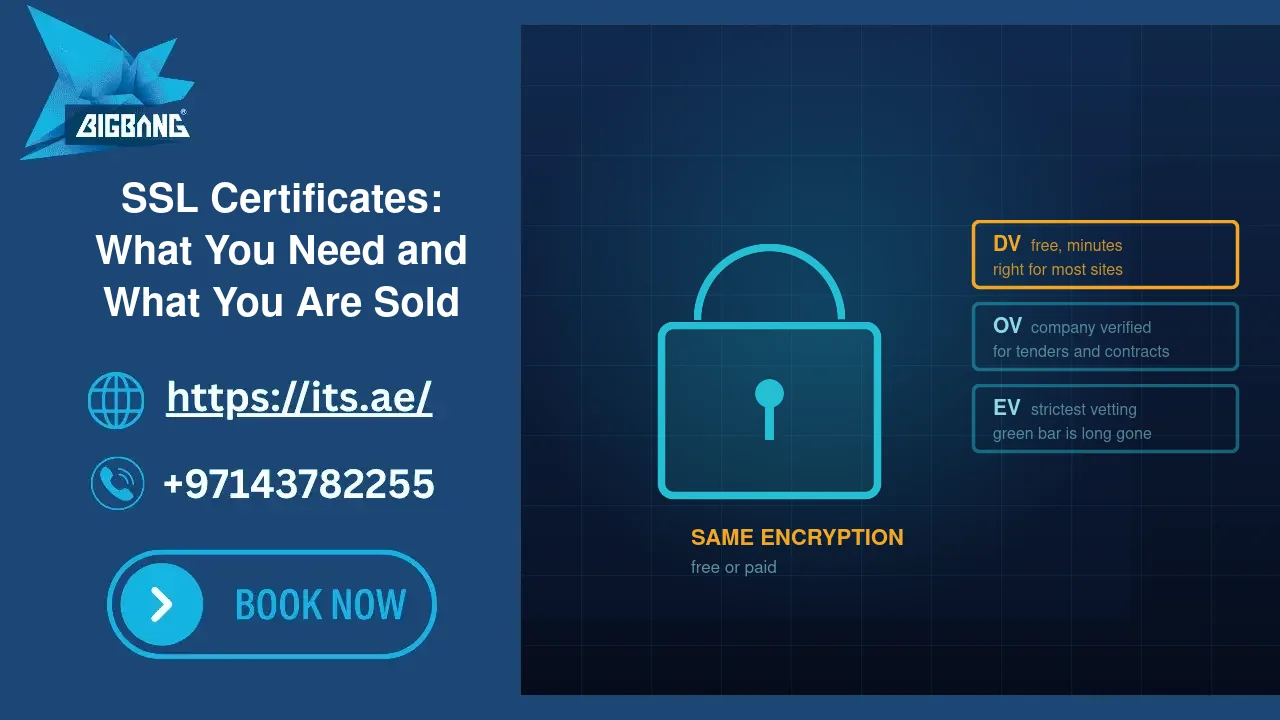
The point people miss: the encryption is identical across certificate types. A free Let’s Encrypt certificate and a five-hundred-dirham commercial certificate negotiate the same TLS versions with the same ciphers. Anyone selling you “stronger encryption” for more money is selling something that does not exist.
What differs is how thoroughly the authority checked who you are before issuing.
The Three Validation Levels
Domain Validated (DV). The authority confirms you control the domain — usually by checking a DNS record or a file on the server. Issued in minutes, automatically, free. The browser’s security indicator looks identical for every certificate — and Chrome has not shown a padlock at all since 2023, only a neutral site-settings icon. This is the correct choice for the overwhelming majority of business websites.
Organisation Validated (OV). The authority additionally verifies that your company legally exists — trade licence, registered address, sometimes a phone call. Takes days and costs money. The company details are visible to anyone who inspects the certificate, though no browser surfaces this in the address bar any more.
Extended Validation (EV). The most thorough vetting of the legal entity. Historically browsers displayed the company name in green next to the address; they stopped doing this years ago, which removed the main commercial reason people bought EV. It still carries the strongest identity assertion, and it is still sold on the strength of a visual indicator that no longer exists — be aware of that when someone quotes you for one.
Certificate Scope: Single, Wildcard, Multi-Domain
Separate from validation level, and more likely to matter to you.
Single domain. Covers example.com and usually www.example.com. Fine for one site.
Wildcard. Covers *.example.com — every subdomain at one level: shop., mail., portal., staging.. If you run several subdomains this is the practical choice, and it is a genuine reason to pay, though free wildcard certificates are also available with DNS-based validation.
Multi-domain (SAN). Covers several different domains on one certificate. Useful if you operate multiple brands on the same server.
The scope mistake: a wildcard for *.example.com does not cover a.b.example.com — wildcards match one level only. Businesses with nested subdomains hit this and assume the certificate is broken.
When Paying Is Justified
Free DV certificates cover most needs. Pay when one of these applies:
You need a verified organisation identity in the certificate. Some enterprise procurement processes, some financial and government tenders, and some partner integrations require OV or EV. If a contract asks for it, that is a real requirement.
You need a warranty. Most commercial certificates carry a financial warranty against mis-issuance, on terms that vary by issuer. This matters to a payment processor, not to a company brochure site.
You need support and a longer operational cycle. Free certificates are short-lived and renew automatically. If your setup cannot automate renewal — an appliance, an unusual platform, a system nobody maintains — a manually installed longer-lived certificate can be less risky in practice — though that window is closing: the CA/Browser Forum has adopted a schedule that cuts the maximum life of every public certificate from 398 days to 47 days between March 2026 and March 2029, so automation will eventually be unavoidable.
You need a wildcard and cannot do DNS-based validation. Automated wildcards require API access to your DNS. If your DNS is somewhere that does not offer it, buying is simpler.
If none of those apply, a free certificate is the correct engineering answer, not a compromise.
The Mistakes That Break HTTPS Anyway
A valid certificate does not guarantee a clean security indicator. These are what we actually find:
Mixed content. The page loads over HTTPS but pulls an image, script or stylesheet over HTTP. Browsers flag the page as not fully secure, and block some resources outright. Almost always caused by hard-coded http:// URLs left in content or theme settings after a site moved to HTTPS.
No redirect from HTTP to HTTPS. Both versions load, so the insecure one stays reachable and indexable — and you now have two versions of every page competing in search. A single site-wide redirect fixes it.
Only one hostname covered. The certificate covers example.com but the site is reachable at www.example.com, or the reverse. Visitors on the uncovered hostname get a full-page browser warning — the most damaging failure on this list, because it looks exactly like a compromised site.
An incomplete certificate chain. The server sends its certificate but not the intermediate certificate above it. Desktop browsers often paper over this; mobile browsers and API clients frequently do not. The classic symptom is “it works on my laptop but the app cannot connect.”
Expiry. Still a leading cause of sudden outages. Automated renewal exists precisely so this cannot happen — confirm it is actually running rather than assuming.
Subdomains nobody remembers. A staging or legacy subdomain with an expired certificate produces warnings for anyone who reaches it, and looks like a compromise from the outside.
Check Your Own Site
Five minutes, and you need nothing but a browser:
1. Load your site over https://. No warning, and a secure indicator (Chrome shows a site-settings icon rather than a padlock)?
2. Load it with and without www. Both should work and both should end up on the same address.
3. Load it over http://. It should redirect to HTTPS, not simply load.
4. Click the padlock (or the site-settings icon in Chrome) and check the expiry date, and confirm renewal is automated.
5. Run a public SSL test tool such as Qualys SSL Labs against your domain. It will report chain problems and weak configurations a browser hides from you.
6. Repeat for every subdomain you own — including the ones you forgot about.
Frequently Asked Questions
Is a free Let’s Encrypt certificate as secure as a paid one?
Yes. The encryption negotiated between browser and server is identical; it depends on your server’s TLS configuration, not on who issued the certificate or what it cost. Paid certificates differ only in how the issuer verified your identity, the warranty attached, and support. For a standard business site a free DV certificate is the right choice.
How long does an SSL certificate last?
Let’s Encrypt certificates are valid for 90 days and are meant to renew automatically. Commercial certificates run longer today, but the CA/Browser Forum has adopted a schedule that cuts the maximum validity of all public certificates to 47 days by March 2029, so every site will need automated renewal within a few years.
Why does my site show “Not Secure” even though I installed a certificate?
Usually one of four things: the page loads an image or script over plain HTTP (mixed content), the hostname you typed is not covered by the certificate, the server is not sending the intermediate certificate, or the certificate has expired. A public SSL test tool identifies which one within a minute.
Sources
- Let’s Encrypt — Frequently Asked Questions (certificate lifetime, wildcard issuance) (accessed 2026-09-15)
- Chromium Docs — EV UI Moving to Page Info (accessed 2026-09-15)
- Chromium Blog — An Update on the Lock Icon (accessed 2026-09-15)
- CA/Browser Forum — Ballot SC-081v3: Introduce Schedule of Reducing Validity and Data Reuse Periods (accessed 2026-09-15)
- RFC 9525 — Service Identity in TLS (wildcard rules) (accessed 2026-09-15)
- web.dev (Google) — What is mixed content? (accessed 2026-09-15)
Where We Fit
BIGBANG ITS includes certificates with hosting, configures the redirect and the chain properly, and monitors expiry so renewal is not something anybody has to remember. We also sell commercial certificates where a client genuinely needs one — and we will tell you when you do not, because selling an EV certificate to a company brochure site is not a service.
If you are not sure whether your site’s HTTPS is set up correctly, or you have been quoted for a certificate and want an independent view on whether you need it, ask us.
Talk to us directly — we usually reply within minutes during business hours.