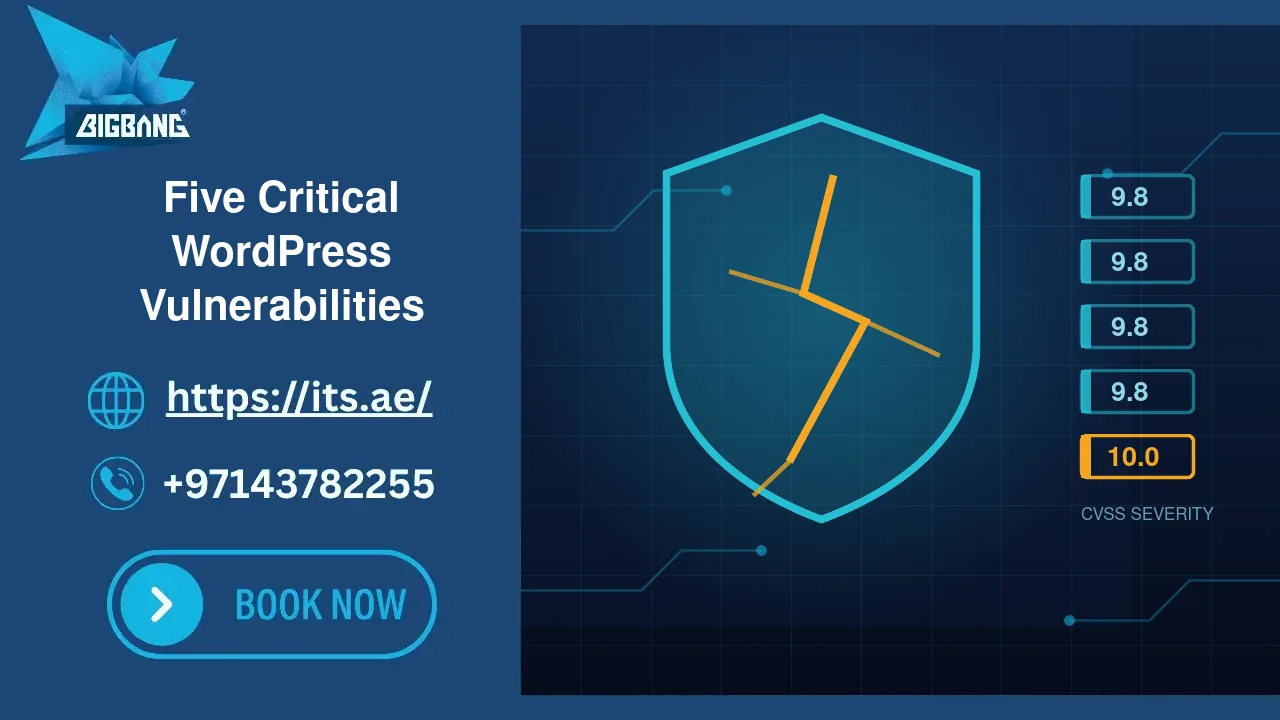
Five separate WordPress vulnerabilities disclosed between 15 and 28 August 2026 share one uncomfortable trait: not one of them requires an attacker to log in first. Four carry a CVSS score of 9.8, and one is rated a perfect 10.0 — the highest severity the scale allows. Between them they affect a theme with more than a million sales and plugins running on well over half a million sites. This advisory explains what each flaw actually does, which sites are genuinely at risk, how to check your own installation in about five minutes, and what to do if you find you are exposed.
Quick Answer
Update immediately if your site runs any of the following: WPMU DEV Dashboard (patched in 5.0.2), Avada with Fusion Builder (7.16.1 and 3.16.1), TranslatePress (3.3.2), Pods (3.3.9.1 or the patch for your release branch), or GiveWP (4.16.7.2). All five let an unauthenticated attacker seize an administrator account or execute code on the server. Treat those as minimum versions: GiveWP, Pods and TranslatePress have each shipped further security releases since, so install the newest release available. If you cannot patch within the hour, deactivate the component — a disabled feature costs less than a rebuilt site.
The Five Vulnerabilities at a Glance
| Component | Identifier | Severity | Vulnerable versions | Fixed in |
|---|---|---|---|---|
| GiveWP | CVE-2026-82222 | 10.0 Critical | ≤ 4.16.7.1 | 4.16.7.2 |
| WPMU DEV Dashboard | CVE-2026-76581 | 9.8 Critical | ≤ 5.0.1 | 5.0.2 |
| Avada theme + Fusion Builder | CVE-2026-18431 | 9.8 Critical | ≤ 7.16 with Fusion Builder ≤ 3.16 | 7.16.1 / 3.16.1 |
| TranslatePress | CVE-2026-19632 | 9.8 Critical | ≤ 3.3.1 | 3.3.2 |
| Pods | CVE-2026-19598 | 9.8 Critical | ≤ 3.3.9 | 3.3.9.1 |
Why This Batch Deserves More Attention Than a Routine Advisory
Most published WordPress vulnerabilities need something from the attacker first — a subscriber account, an administrator who clicks a crafted link, a specific unusual configuration. Those conditions buy defenders time, because exploitation does not scale.
These five are different. Every one of them is exploitable by an anonymous visitor with no account and no interaction from anyone on your team. That is precisely the profile that gets weaponised into automated scanning, and the gap between a public advisory and mass scanning can now be measured in hours rather than weeks. The published fix is itself the roadmap: attackers read the patch diff to locate the flaw.
There is a second reason to take this seriously. Three of the five components are the kind of software an owner installs once and forgets — a translation layer, a content-field framework, a management dashboard. Nobody thinks of them as attack surface, so nobody checks their version.
1. GiveWP — CVE-2026-82222 (CVSS 10.0)
The most severe of the group, and the only one rated a full 10.0. GiveWP is a donation platform used by charities and non-profits, with over 100,000 installations.
The flaw is a PHP object injection that ends in remote code execution. In plain terms: the plugin has a helper that is supposed to make incoming serialised data safe, but it does not strip objects the way it claims to. Attacker-controlled data travels through the donation flow, gets stored in the database, and is later read back and unserialised as though it were trustworthy. Because the plugin also ships library code that provides a usable gadget chain, that unserialisation turns into arbitrary operating-system commands on the hosting server.
Worse, the plugin exposes a registration action that ignores WordPress’s own “anyone can register” setting, so an attacker can create the account they need even on a site where public registration is switched off.
At risk: any GiveWP site up to 4.16.7.1 with at least one published donation form and one active payment gateway — that describes a default installation on 4.16.5.1 and earlier, and on 4.16.6 to 4.16.7.1 any site upgraded from an older version or still holding a legacy donation form. Fixed in 4.16.7.2.
2. WPMU DEV Dashboard — CVE-2026-76581 (CVSS 9.8)
An authentication bypass in the plugin’s Hub Single Sign-On flow. The plugin builds and validates its HMAC-SHA-256 signatures inconsistently, and the unauthenticated first stage of the process can be abused as a signing oracle: it will produce a valid signature that the attacker then replays in a different context, where it is accepted as proof of an administrator login.
At risk: sites up to 5.0.1 that are connected to WPMU DEV with Hub SSO enabled and mapped to an administrator account. Sites running the plugin without SSO are not exposed to this specific path — but should still update, because “not exposed today” is a configuration setting away from changing. Fixed in 5.0.2.
3. Avada Theme with Fusion Builder — CVE-2026-18431 (CVSS 9.8)
Avada is one of the best-selling commercial WordPress themes ever released, with more than a million sales, and Fusion Builder is the page builder bundled with it.
The vulnerability is an arbitrary file write chained out of six separate weaknesses spanning both components — authorisation gaps, input-validation failures, trust-boundary confusion, and unsafe file handling. Individually none of them is catastrophic; assembled in sequence they let an unauthenticated attacker write files of their choosing onto the server, create a PHP file, and execute it. That is complete site compromise: database access, malware injection, rogue administrator accounts, visitor redirection.
At risk: Avada up to 7.16 when Fusion Builder up to 3.16 is installed and active, and certain administrator-authored content exists on the site. Fixed in Avada 7.16.1 and Fusion Builder 3.16.1 — both must be updated. Updating only the theme leaves the chain intact.
4. TranslatePress — CVE-2026-19632 (CVSS 9.8)
A sensitive information exposure affecting a plugin installed on roughly 400,000 multilingual sites. The mechanism is almost elegant in how ordinary it looks.
When automatic string saving is switched on, TranslatePress collects strings it encounters so they can be translated later — and a WordPress password-reset email is, as far as the plugin is concerned, just another string. If the target administrator’s profile language is set to a published secondary language, the raw reset URL, including the plaintext reset key and login parameters, is written into the plugin’s translation store, where an unauthenticated visitor can read it. The attacker then simply uses the link.
At risk: versions up to 3.3.1, only where automatic string saving is enabled, which is the plugin’s default setting, and an administrator’s profile locale is set to a published secondary language. That combination is common on exactly the kind of bilingual business site that needs a translation plugin in the first place. Fixed in 3.3.2.
5. Pods — CVE-2026-19598 (CVSS 9.8)
Pods is a custom content type and field framework used on around 100,000 sites, usually installed by a developer during a build and never touched again.
The flaw is a privilege escalation through an authorisation bypass. The plugin’s admin AJAX router funnels its security checks — method allowlisting, nonce verification, login enforcement, capability gates — through a single error function. Under one compatibility path, that function merely logs the failure and returns false instead of terminating the request. Execution continues as if every check had passed. An unauthenticated attacker can therefore perform administrative actions directly: promote themselves to administrator, or overwrite the password of any account on the site, including the owner’s.
At risk: all versions up to 3.3.9. Fixed in 3.3.9.1, with backported patches for older branches (2.8.23.4, 2.9.19.4, 3.0.10.4, 3.1.4.2, 3.2.8.3) so that sites pinned to an older major version can still patch without a migration.
How to Check Your Own Site in Five Minutes
Do not rely on the update badge in your dashboard. A site with automatic updates disabled, or one whose licence has lapsed, will show no notice at all while running a vulnerable version.
From the WordPress dashboard: open Plugins → Installed Plugins and read the version number printed under each plugin name, then Appearance → Themes for the active theme. Compare against the “Fixed in” column above. Check the version you are actually running, not the version you remember installing.
From the command line, if you have SSH access:
wp plugin list --fields=name,status,version
wp theme list --fields=name,status,version
From cPanel without SSH: File Manager → public_html/wp-content/plugins/, open the plugin’s main PHP file, and read the Version: line in the header comment. The same works for wp-content/themes/.
One caution that catches people out: an inactive plugin is still a vulnerability. Its files remain on disk and remain reachable over HTTP, and several classes of WordPress flaw execute without the plugin being enabled at all. Deactivating is not removing. If you do not use it, delete it.
If You Are Running a Vulnerable Version
Work in this order. The sequence matters, because patching after a compromise closes the door with the intruder already inside.
First, patch or disable. Update to the fixed version now. If an update would break the site and you need a maintenance window, deactivate and remove the component in the meantime.
Second, assume the worst and check. A patch does not evict an attacker who arrived last week. Review your user list for administrator accounts you do not recognise, and check the registration dates on the ones you do. Look for files modified in the last thirty days, paying particular attention to any .php file inside wp-content/uploads — that directory should hold media and nothing else. Inspect scheduled tasks (wp cron event list) for entries you did not create, and read .htaccess for injected redirect rules.
Third, rotate credentials. Reset every administrator password, the database password, and any API keys the site holds. For the TranslatePress flaw specifically, treat any password-reset link issued while the site was vulnerable as public knowledge.
Fourth, invalidate sessions. A stolen login cookie survives a password change unless sessions are explicitly destroyed. Force a logout across all users.
Fifth, verify your backups before you need them. Confirm you hold a restore point that predates the disclosure date, and confirm it actually restores. An untested backup is a hope, not a plan. Our guide on the signs your website is hacked covers confirmation and clean-up in depth if any of these checks turns up something.
Why Patching Alone Is Not the Whole Answer
Every site in this advisory was running supported, legitimate, widely trusted software. Nothing was pirated and nothing was abandoned. The owners did nothing wrong, and they were still exposed — because the vulnerability arrived in a routine update to code they had every reason to trust.
That is the argument for defence in depth. Patching is the first layer, not the only one. A web application firewall in front of the site blocks the exploitation attempt before it reaches vulnerable code, which buys you the days between disclosure and your maintenance window. Account isolation on the server stops one compromised site from becoming a compromised server. Off-site daily backups turn a catastrophe into an afternoon. Two-factor authentication makes a stolen password insufficient on its own. And a plugin inventory you actually review — deleting what you no longer use — shrinks the attack surface permanently, at zero cost.
Our UAE website security compliance checklist sets out the full baseline we recommend to businesses operating here.
How We Protect the Sites We Host
BIGBANG ITS FZE has supported UAE businesses since 2003, and website security is not an add-on we sell separately from hosting — it is how our platform is built.
Every site on our servers sits behind a web application firewall running an actively maintained rule set, which blocks the exploitation patterns behind flaws like these before they reach your code. Accounts are isolated from one another at the filesystem level, so a compromise on one site cannot reach another. Malware scanning runs continuously rather than on request. Backups run daily to off-site storage and are tested by restoring them, not merely by checking that the job completed. And we monitor vulnerability disclosures for the software our clients actually run — which is why this advisory exists.
For clients on our managed WordPress hosting, applying patches like these is our job rather than theirs.
Frequently Asked Questions
My site is small and gets very little traffic. Is it really a target?
Yes, and the reasoning behind the question is the risk. These attacks are not aimed at your business; they are automated scans across the entire internet looking for a version string. A small site is not overlooked, it is simply found more cheaply. Compromised small sites are valuable precisely because nobody is watching them: they become spam relays, malware hosts, and links in someone else’s SEO scheme, often for months.
I have automatic updates switched on. Am I covered?
Partly. Automatic updates cover plugins from the WordPress repository that are configured for it, but they routinely miss commercial themes and plugins licensed directly from the vendor — Avada and WPMU DEV Dashboard both fall in that category, and both need a valid licence for updates to arrive at all. Verify the version numbers by hand rather than trusting that automation ran.
The plugin is deactivated. Does that make me safe?
Not by itself. The files remain on the server and remain reachable, and several WordPress vulnerability classes execute against files directly without the plugin being active. Delete anything you are not using.
How quickly do attackers actually exploit these?
For unauthenticated, no-interaction flaws like these, scanning can begin within hours of public disclosure, because the published patch shows attackers exactly where to look. Treat the disclosure date, not the exploit’s appearance in the wild, as the start of your exposure window.
How do I know whether my site was already compromised before I patched?
Check for administrator accounts you did not create, PHP files inside the uploads directory, recently modified core files, unfamiliar scheduled tasks, and injected rules in .htaccess. If anything looks wrong, preserve the logs before you clean — they are the only record of how entry was gained, and cleaning destroys them.
Sources
- NIST National Vulnerability Database — CVE-2026-82222 (GiveWP) (accessed 2026-09-29)
- Patchstack — Unauthenticated PHP Object Injection to Remote Code Execution on GiveWP (accessed 2026-09-29)
- NIST National Vulnerability Database — CVE-2026-76581 (WPMU DEV Dashboard) (accessed 2026-09-29)
- NIST National Vulnerability Database — CVE-2026-18431 (Avada and Fusion Builder) (accessed 2026-09-29)
- Avada — Avada Changelog (accessed 2026-09-29)
- NIST National Vulnerability Database — CVE-2026-19632 (TranslatePress) (accessed 2026-09-29)
- NIST National Vulnerability Database — CVE-2026-19598 (Pods) (accessed 2026-09-29)
- Pods Framework — Pods 3.3.9.1 Security Release and Backported Releases (accessed 2026-09-29)
Need Help Checking Your Site?
If you are running any of the affected software and are unsure whether you were reached, our team can audit the installation, patch it, and confirm whether anything was left behind. Our hacked website recovery service covers forensic review, malware removal, hardening, and blacklist delisting, while our website security services put the preventive layers in place.
Talk to our Dubai team for an assessment of your current setup.
Talk to us directly — we usually reply within minutes during business hours.