Distributed denial-of-service attacks used to be a problem for banks and governments. In 2026 the typical target we see is a UAE trading company, a clinic’s booking site or an online store during a promotion — hit not by a nation state but by a competitor with a credit card and a rented botnet, or by an extortion email that arrives an hour after the site goes down. This guide explains what an attack on a business website actually looks like, what protection is already in your hosting, what needs an extra layer, and what to do in the first ten minutes.
Quick Answer
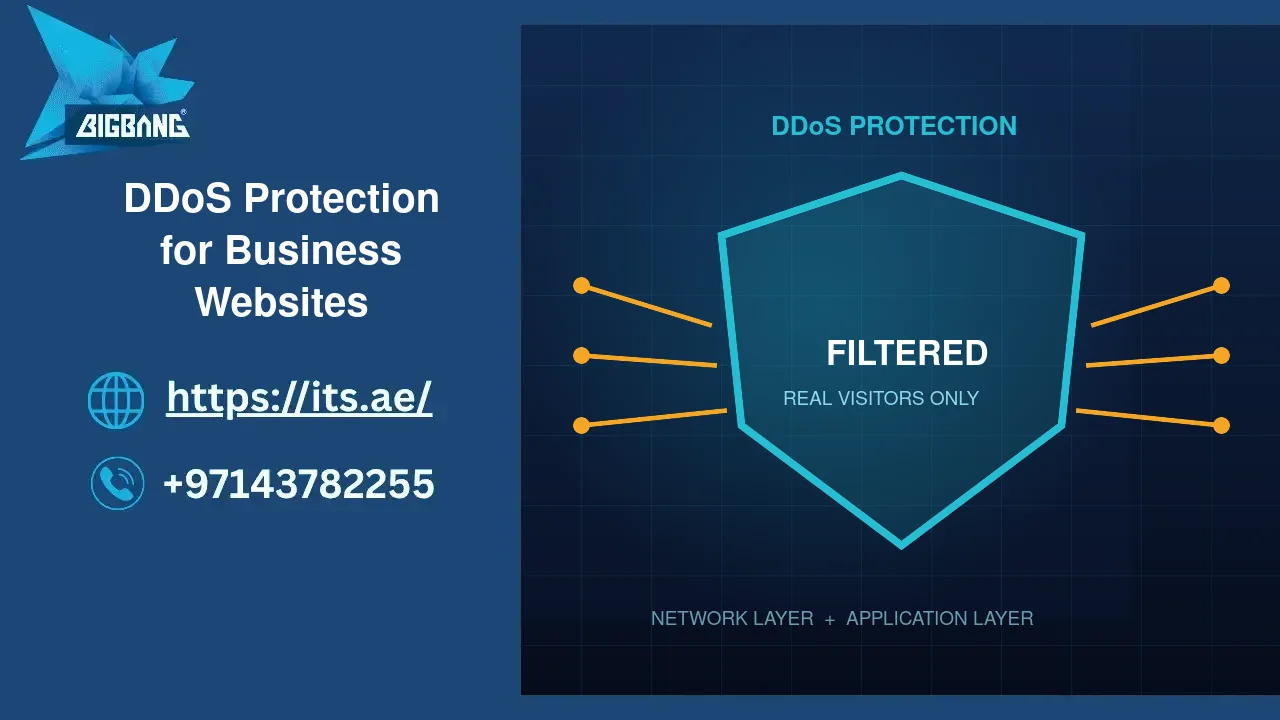
A DDoS attack floods a website with traffic from thousands of hijacked devices so real customers cannot get through. Protection has two layers: network-level filtering that absorbs floods before they reach the server, and application-level filtering that tells a real browser from a bot pretending to be one. Our hosting includes the first for every account and rate-limiting for the second; a website that a business cannot afford to have offline for a day should add a dedicated DDoS protection layer in front of it. During an attack: do not reboot the server, do not pay, do capture the logs, and call your host — mitigation is a switch we throw, not a project.
What an Attack on a Small Business Looks Like
The site slows, then stops. The hosting panel shows the server at full capacity with almost no real visitors. The pattern is one of three:
- A volumetric flood. Tens of gigabits per second of junk packets aimed at the server’s address. Nothing on the server can help; the connection to the internet is simply full. Only the network in front of you can absorb this.
- A protocol attack. Half-opened connections, malformed packets, exhausting the server’s ability to keep track of who is talking to it. Firewalls and connection limits handle most of it.
- An application-layer flood. Thousands of ordinary-looking HTTPS requests per second to the most expensive pages — search, checkout, the login form. Each request is legitimate on its own; together they exhaust PHP and the database. This is the one that hits business websites most often, because it is cheap and looks like traffic.
Attacks on small sites rarely last more than a few hours, but they cluster around moments that matter: a product launch, a tender deadline, a sale. That timing is not a coincidence.
What Your Hosting Already Does
Every account on our infrastructure sits behind network-level DDoS mitigation at the data-centre edge, which absorbs volumetric and most protocol attacks before they reach the server. On the server, a firewall with connection-rate limits, brute-force detection and the Imunify360 web application firewall drop the obvious junk, and LiteSpeed’s per-IP request throttling blunts small application floods. For a company site with ordinary traffic that is usually enough — and it is part of what you pay for on shared hosting, VPS and dedicated plans alike.
When You Need the Extra Layer
Shared and server-side protection has a ceiling: a determined application-layer attack that mimics real browsers, or a volumetric attack larger than the edge is provisioned for, gets through. Add a dedicated protection layer when:
- An hour offline costs real money — an online store, a booking system, a portal your customers log into daily.
- You have already been attacked once. Repeat attacks are the norm, not the exception.
- You operate in a sector where competitors play dirty, or you are about to run a campaign that will be visible.
- A client contract or a UAE regulator asks for availability guarantees. The UAE website security requirements increasingly include this.
The dedicated layer works by routing your traffic through a filtering network before it reaches your server, so the server’s real address is hidden and every request is inspected — challenge pages for suspicious clients, rate limits per visitor, geographic rules, and a web application firewall tuned to your platform. Set-up is a DNS change and a day of tuning; the ongoing cost is a fraction of one lost sales day. Our website security service bundles it with monitoring.
The First Ten Minutes of an Attack
- Confirm it is an attack, not a bug. A viral post or a broken plugin looks similar from the inside. Server load with near-zero real page views is the tell.
- Call your host. We can enable aggressive mitigation, block source countries and raise challenge pages in minutes; you cannot do that from a WordPress dashboard.
- Do not reboot. It clears nothing and drops the connections of the real customers who did get through.
- Capture the evidence. Access logs and the firewall’s block list; you may need them for a police report or a cyber-insurance claim.
- Do not pay. Extortion demands arrive by email in broken English asking for cryptocurrency. Paying confirms you are a target that pays.
- Tell your customers on social media that the site is under attack and when to try again. Silence looks like failure; a short message looks like competence.
Afterwards, review what else was exposed: an attack is sometimes cover for an intrusion attempt elsewhere. Our first-hour response runbook covers that check.
Reducing the Damage Before It Happens
- Cache aggressively. A page served from cache costs almost nothing; a page built by PHP costs everything. Full-page caching turns most application floods into a non-event.
- Protect the expensive pages. Rate-limit search, login and checkout; add a challenge to the login form.
- Keep email off the web server so an attack on the site does not also stop your mail — see business email.
- Have a static “we are under maintenance” page ready to serve from somewhere else.
- Know your host’s phone number before you need it.
Where We Are
BIGBANG ITS runs its own hosting infrastructure and provides DDoS mitigation and website security for UAE businesses from its headquarters at the Sharjah Research, Technology and Innovation Park and its branch in Business Bay, Dubai. Support runs 24/7 — which matters most on the night an attack starts — and the office is open Saturday to Thursday, 09:00–18:00 Gulf time. To assess your exposure or add protection before the next campaign, contact us or call +971 4 378 2255.
Talk to us directly — we usually reply within minutes during business hours.