Most UAE businesses arrive at a VPS the same way: the shared hosting plan that was fine for a brochure site starts choking once an online store, a booking system or an ERP goes on it. The question is rarely “shared or VPS?” — by then the answer is obvious. The real questions are how much server you actually need, which of the confusingly named plans fits, and what you are signing up to manage yourself. This guide answers all three with the plans and prices from our own portal.
Quick Answer
A VPS (virtual private server) gives your business a slice of a physical server with its own CPU, memory, disk and operating system, isolated from every other customer. Move to one when a site needs more than about 2 GB of memory at peak, runs anything beyond WordPress (an ERP, a CRM, a custom application, a large WooCommerce store), or needs software the shared platform will not install. For most UAE businesses the right first VPS is 2–4 vCPU with 4–8 GB of RAM, which on our cloud VPS plans costs USD 9.90–17.90 a month. Choose a dedicated-vCPU plan only for databases and workloads that run flat out; and unless you have a Linux administrator on staff, take the managed option.
When Shared Hosting Stops Being Enough
Shared hosting works because most sites are idle most of the time. It stops working when yours is not. The signs are consistent:
- Pages take more than two seconds to start rendering at busy hours and are fine at 3 a.m. — you are competing for the same CPU.
- The control panel reports resource-limit hits (CloudLinux “LVE” faults): memory or process limits being reached.
- You need a PHP extension, a Node or Python service, a cron job every minute, or a database larger than a few gigabytes — things a shared platform restricts by design.
- An application (ERP, CRM, LMS, a booking engine) needs its own services running permanently.
If none of that applies, stay on shared hosting and spend the money on content. Our guide to why business websites are slow shows that most slowness is the site, not the server.
How Much Server You Actually Need
Sizing is easier than the plan names suggest. Three numbers matter: memory, because running out of it is what crashes a site; vCPUs, because they set how many requests are handled at once; and whether those vCPUs are shared or dedicated, because a shared vCPU can be slowed by a noisy neighbour at exactly the wrong moment.
| Workload | Fits comfortably on | Our plan | Monthly |
|---|---|---|---|
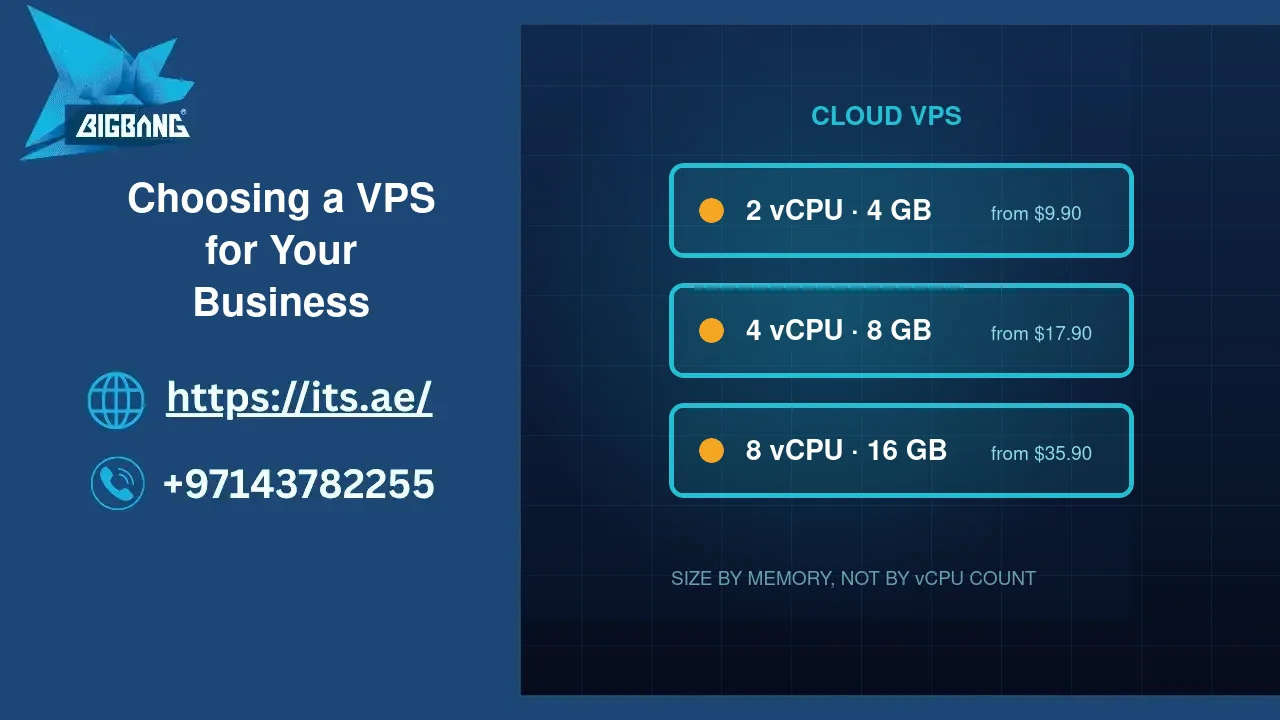
| Business site + blog, up to ~20k visits/month | 2 vCPU · 4 GB | Cloud ARM CAX11 | USD 9.90 |
| WooCommerce store, a few hundred products | 4 vCPU · 8 GB | Cloud ARM CAX21 | USD 17.90 |
| ERP / CRM for a 10–30-person company (Odoo, ERPNext) | 8 vCPU · 16 GB | Cloud ARM CAX31 | USD 35.90 |
| Database-heavy application, steady high load | 2 dedicated vCPU · 8 GB | Cloud Dedicated CCX13 | USD 70.90 |
| Several sites for an agency, or a 3CX phone system | 4 vCPU · 8 GB (x86) | Cloud Performance CPX32 | USD 58.90 |
Prices are from our client portal at the time of writing and include full root access, NVMe storage, a browser console and snapshots. All run in European data centres with UAE latency of roughly 100–130 ms — fine for a website, and the reason we host 3CX phone systems on the x86 line rather than ARM.
ARM or x86, Shared or Dedicated
The ARM plans (CAX) are the best value per gigabyte and run WordPress, PHP, Node, Python, Docker and the common databases without any change. Choose x86 (CPX) only when a specific piece of software has no ARM build — 3CX, some proprietary panels, certain older binaries. Choose dedicated vCPUs (CCX) when the server will run near full load for hours at a time: heavy databases, video processing, analytics. For a typical business website or store, the dedicated line is money spent on headroom you will never use.
What You Are Signing Up to Manage
This is the part the price tags leave out. A VPS is a server; nobody else patches it. On an unmanaged plan you — or someone you pay — are responsible for:
- Operating-system security updates, applied within days of release, not months.
- A firewall and brute-force protection on SSH and the control panel.
- Backups that are stored off the server and tested by actually restoring one. Our backup and recovery plan explains what “tested” means.
- Monitoring, so you learn about a full disk or a dead database before your customers do.
- The web stack itself — PHP versions, TLS certificates, mail delivery.
If that list reads like a second job, it is. Our server management service takes all five off your hands for a fixed monthly fee, and it is the option most of our business clients end up on. The unmanaged plan is the right choice for a company with its own systems administrator or a developer who genuinely enjoys this.
Migrating Without Downtime
Moving a site from shared hosting to a VPS is routine when done in the right order: build the new server, copy the site and database, test it on a temporary address, lower the DNS time-to-live a day ahead, switch DNS, keep the old hosting alive for a week. The switch itself takes minutes. What causes downtime is skipping the test step or forgetting email — if your mailboxes are on the shared account, decide where they go before DNS changes, not after. Our business email plans exist precisely so mail stops living on the web server.
Three Mistakes to Avoid
- Buying by vCPU count. Memory is what runs out first on a web server. 4 GB with 2 vCPUs beats 2 GB with 4.
- Choosing the cheapest “cost-optimised” plan for production. Those lines exist to sell surplus capacity and go out of stock without warning; you cannot upgrade into a plan that is not available.
- Leaving root login open with a password. A new VPS sees its first brute-force attempt within the hour. Keys only, and two-factor on the panel.
Where We Are
BIGBANG ITS provisions and manages cloud VPS servers for UAE businesses from its headquarters at the Sharjah Research, Technology and Innovation Park and its branch in Business Bay, Dubai. Support runs 24/7; the office is open Saturday to Thursday, 09:00–18:00 Gulf time. For help sizing a server or moving off shared hosting, contact us or call +971 4 378 2255.
Talk to us directly — we usually reply within minutes during business hours.