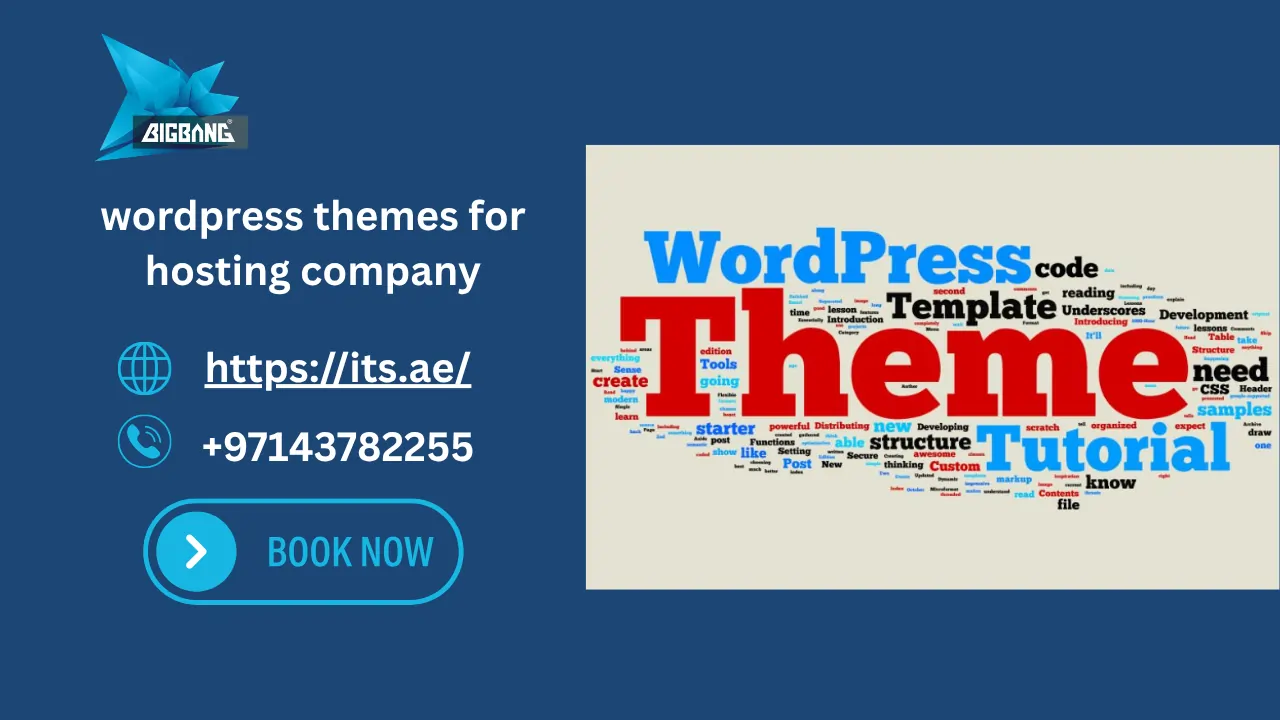
Choosing the right WordPress themes for hosting company can directly impact your website speed, SEO performance, and conversion rates. A poor theme can limit growth, while the right one can turn your hosting website into a high-performing sales machine.
In this guide, you’ll discover the Best free and premium WordPress hosting themes, compare their features, and learn how to choose the right solution for your business—especially if you’re targeting competitive markets like wordpress hosting UAE and wordpress hosting Dubai.
What Is a WordPress Theme for a Hosting Company?
A WordPress theme for hosting companies is a pre-designed template built specifically for web hosting businesses, domain providers, cloud services, and IT companies.
It usually includes:
- Pricing tables for hosting plans
- WHMCS integration
- Domain search functionality
- Performance-optimized layouts
- SEO-friendly structure
Simply put, it helps you launch a professional hosting company website WordPress theme without building everything from scratch.
If you want to understand how hosting environments work in practice, read more about What Is a Managed WordPress Site.
Who This Guide Is For
This guide is for hosting companies, domain resellers, cloud service providers, and businesses that want a fast, SEO-friendly WordPress site with WHMCS support.

Why Choosing the Right Hosting WordPress Theme Matters
For hosting companies, theme choice affects speed, trust, conversions, and how easily visitors buy a plan.
A poor theme can:
- Slow down your website
- Hurt SEO rankings
- Reduce user trust
- Lower conversion rates
On the other hand, a well-optimized WordPress hosting theme can:
- Improve Google rankings
- Increase sales of hosting plans
- Enhance user experience
- Improve Core Web Vitals performance
This is why businesses searching for cheap WordPress themes or WordPress themes premium free should carefully evaluate quality over price.
Before choosing a theme, it’s important to understand How to Select a Web Hosting Company to ensure your website is built on the right foundation.
Essential Features Every Hosting Company WordPress Theme Should Have
A professional WordPress web hosting theme must include:
WHMCS Integration
To manage hosting clients, billing, and automation.
Domain Search Functionality
Allows users to check domain availability instantly.
Hosting Pricing Tables
Clear comparison of hosting packages.
Fast Loading Speed
Speed is critical for SEO and conversions.
Responsive Design
Works perfectly on mobile, tablet, and desktop.
SEO-Friendly Structure
Clean code optimized for search engines.
Elementor Compatibility
Easy drag-and-drop customization.
Security Features
Important for trust and data protection.
WooCommerce Support
For selling hosting services or add-ons.
Quick Theme Comparison
| Theme | WHMCS | Speed | Elementor | Best For |
| Hostiko | Yes | Good | Yes | Hosting companies |
| Phox | Yes | Good | Yes | Flexible hosting layouts |
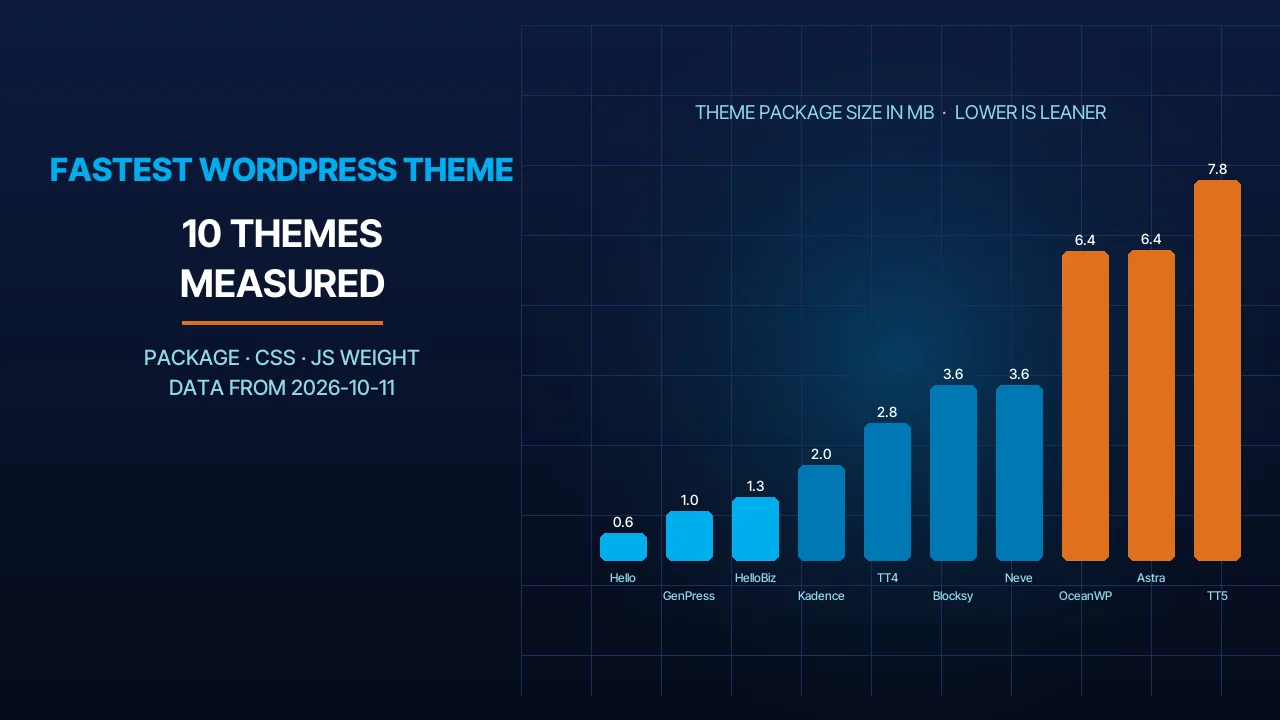
| Astra | Limited | Excellent | Yes | Lightweight hosting sites |
| OceanWP | Limited | Excellent | Yes | Multipurpose hosting sites |
Best WordPress Themes for Hosting Company
Here are some of the most popular and widely used themes:
Hostiko
A powerful hosting theme with WHMCS integration and modern UI.
Phox
Flexible design with advanced hosting layouts.
Hostinza
Built for domain and WHMCS web hosting services.
Hostim
Optimized for performance and speed.
Qloud
Great for cloud computing companies.
HostCluster
Focused on WHMCS hosting automation.
OceanWP
A multipurpose theme that works well for hosting websites with customization flexibility.
Astra
Lightweight, fast, and SEO-friendly for hosting businesses.
Free WordPress Themes for Hosting Company
If you are looking for a free WordPress theme for hosting services, you can consider:
- OceanWP (Free version)
- Astra (Free version)
- Hello Elementor
- Neve
- Kadence
These are often searched as:
- free WordPress themes for hosting company
- WordPress web hosting theme free
- company website WordPress theme free
However, free themes usually lack advanced features like WHMCS integration.
Free themes are a Good starting point, but most of them need extra plugins or customization to handle WHMCS, pricing tables, and advanced hosting features.
Premium WordPress Themes Worth Paying For
Premium themes are ideal for serious hosting businesses.
Popular options include:
- Avada
- Divi
- Hostiko
- Phox
- Hostinza
These themes offer:
- Better performance
- Advanced customization
- Premium support
- Regular updates
If your goal is scaling a hosting business, premium is usually a better long-term investment than searching for a WordPress theme download or cracked versions.
Free vs Premium WordPress Hosting Themes
| Feature | Free Themes | Premium Themes |
| Speed | Good | Best |
| SEO Optimization | Limited | Fully supported |
| WHMCS Support | Usually not | Yes |
| Customization | Limited | Extensive |
| Support | Poor | Professional |
In most cases, premium themes are the better choice for hosting companies because they offer stronger support, more flexibility, and better long-term scalability.
Need help choosing the right solution? Talk to ITS experts.
How to Choose the Best WordPress Theme for Your Hosting Business
Before choosing any hosting theme WordPress, consider:
- Is it SEO optimized?
- Does it support WHMCS?
- Is it fast and lightweight?
- Does it work with Elementor?
- Is it mobile responsive?
- Does it support scaling?
These factors matter more than searching for WordPress themes free download professional.
If a theme fails on speed, WHMCS support, or mobile responsiveness, it should be removed from consideration immediately.
Understanding the difference between hosting solutions is essential before selecting a website setup. Learn what is WordPress hosting vs web hosting to understand which option fits your business needs.
SEO Features to Look for in a Hosting Theme
To rank higher in Google and AI search engines:
- Clean HTML structure
- Schema markup
- Core Web Vitals optimization
- Fast server response
- Mobile-first design
- Internal linking structure
These SEO features matter most when competing for commercial keywords and local market terms such as WordPress hosting UAE and WordPress hosting Dubai.
Hosting businesses should also consider WordPress Domain Name Price when planning their website infrastructure and costs.
Common Mistakes When Choosing a Hosting Theme
Many beginners make mistakes such as:
- Choosing based on design only
- Using nulled themes
- Ignoring speed optimization
- Not considering SEO structure
- Overloading plugins
- Not testing the theme on a staging site before going live
These mistakes can damage your entire WordPress hosting business website.
Should You Use a Ready-Made Theme or Build a Custom Website?
A ready-made theme is faster, but:
- Limited flexibility
- Shared design with competitors
A custom website is usually the better choice when the business needs unique branding, stronger SEO structure, and higher conversion potential.
A custom-built website (recommended for ITS clients):
- Fully optimized for SEO
- Built for conversions
- Scalable
- Unique branding
If you’re migrating your website, you may also need to learn How to Transfer Domain to WordPress.
Why Businesses in the UAE Choose ITS for WordPress Hosting Websites
If you are targeting WordPress hosting UAE or WordPress hosting Dubai, you need more than just a theme.
ITS provides:
- Custom WordPress website development
- High-performance hosting solutions
- SEO-optimized website structure
- Fast loading architecture
- Conversion-focused design
Instead of searching for a WordPress theme download, businesses choose ITS to build a complete hosting platform that actually converts visitors into customers.
Why ITS Is Better Than Using WordPress Themes
- Custom-built (not Limited like themes)
- Built to load faster than typical template-based websites
- Built for conversions (not just design)
- SEO architecture included from day one
- Scalable for hosting companies
Build Your Hosting Website with ITS
- Custom WordPress hosting website
- SEO optimized structure
- WHMCS integration
- High-speed performance for the UAE market
Book a Free Strategy Call Today!
Conclusion
Choosing the right WordPress theme for a hosting company depends on your budget, feature needs, and long-term growth plans. Free themes can work as a starting point, but premium or custom-built solutions usually perform better for SEO, speed, and conversions.
If you want a hosting website built for the UAE market, ITS can help create a faster and more scalable solution.
Sources
- Designing Media — Hostiko – Hosting WordPress & WHMCS Theme (Elementor, WPBakery and Gutenberg support, WHMCS 9.x templates, $39) (accessed 2026-10-01)
- WHMCSdes — Phox Documentation (WHMCS template, WHMCS domain widget, Elementor widgets) (accessed 2026-10-01)
- XpeedStudio — Hostinza: Isometric Domain & WHMCS Web Hosting WordPress Theme (accessed 2026-10-01)
- ModelTheme — HostCluster – WHMCS Server & Hosting WordPress Theme ($59) (accessed 2026-10-01)
- Iqonic Design — Qloud: Cloud Computing, Apps & Server WordPress Theme (live demo) (accessed 2026-10-01)
- WordPress.org Theme Directory — Astra (free theme, 1+ million active installations) (accessed 2026-10-01)
- WordPress.org Theme Directory — OceanWP (free theme, 400,000+ active installations) (accessed 2026-10-01)
- Google Search Central — Understanding Core Web Vitals and Google search results (accessed 2026-10-01)
FAQs
Is WordPress outdated in 2026?
No. WordPress remains one of the world’s most popular content management systems in 2026. It continues to receive regular updates, security improvements, and new features. Combined with a modern theme and reliable hosting, WordPress is an excellent choice for business websites, online stores, blogs, and hosting companies.
Which theme is Best for a WordPress website?
The Best WordPress theme depends on your business goals. A high-quality theme should be fast, mobile-friendly, SEO-optimized, regularly updated, and easy to customize. Hosting companies should also choose a theme that supports pricing tables, service pages, and a professional user experience.
Is WordPress Good for hosting?
Yes. WordPress is an excellent platform for hosting companies because it is flexible, scalable, and SEO-friendly. With the right hosting environment and a well-optimized theme, businesses can create fast, secure websites that effectively showcase hosting plans, domains, and related services.
How to install a WordPress theme on a self-hosted site?
To install a WordPress theme on a self-hosted website, log in to your WordPress dashboard, go to Appearance → Themes → Add New, upload or select your preferred theme, then click Install and Activate. After activation, customize the theme and install any required plugins to complete the setup.
Talk to us directly — we usually reply within minutes during business hours.